
Meetings often end with pages of notes, action items, and decisions, but turning all that information into a clear presentation is another task entirely. Whether you’re preparing a project update, sharing meeting outcomes with stakeholders, or presenting next steps to your team, manually creating slides from meeting notes can take far longer than the meeting itself.
I’ve found that the biggest challenge isn’t collecting the information it’s organising it into a logical story that people can quickly understand. Important decisions, timelines, responsibilities, and key discussion points are often buried in paragraphs of text, making it difficult to create an engaging presentation without spending significant time editing and formatting.
Fortunately, AI has made this process much easier. Modern AI presentation tools can analyse your meeting notes, identify the most important information, generate a structured outline, and transform it into professional PowerPoint or Google Slides presentations in just a few minutes. Instead of starting with a blank slide deck, you begin with a well-organised presentation that you can customise to match your audience and brand.
In this guide, you’ll learn how to convert meeting notes into a presentation step by step, discover best practices for creating clear and impactful slides, and see how AI Presentations helps automate the entire workflow while keeping you in control of the final result.
Why Convert Meeting Notes into a Presentation?
Meeting notes capture important discussions, but they’re often difficult to scan and share. Converting them into a presentation helps organise key decisions, action items, and next steps into a clear, visual format that’s easier for teams and stakeholders to understand.
Some of the biggest benefits include:
- Communicate clearly: Present key points without overwhelming your audience with pages of notes.
- Save time: AI can automatically structure your notes into a professional slide deck.
- Improve collaboration: Keep everyone aligned on decisions, responsibilities, and deadlines.
- Create professional updates: Perfect for project reviews, client meetings, executive summaries, and team presentations.
Instead of manually building slides from scratch, you can use AI tools to transform meeting notes into a polished PowerPoint or Google Slides presentation in just a few minutes.
How to Convert Meeting Notes to a Presentation with AI
With AI Presentations, you can turn meeting notes into a professional presentation in just a few minutes no manual slide creation required.
Step 1. Organise Your Meeting Notes
Review your meeting notes and ensure they include the key discussion points, decisions, action items, deadlines, and next steps. Well-structured notes help AI generate more accurate and relevant slides.
Step 2. Upload or Paste Your Notes
Open AI Presentations and paste your meeting notes or upload them in a supported format, such as PDF, DOCX, TXT, or Markdown.
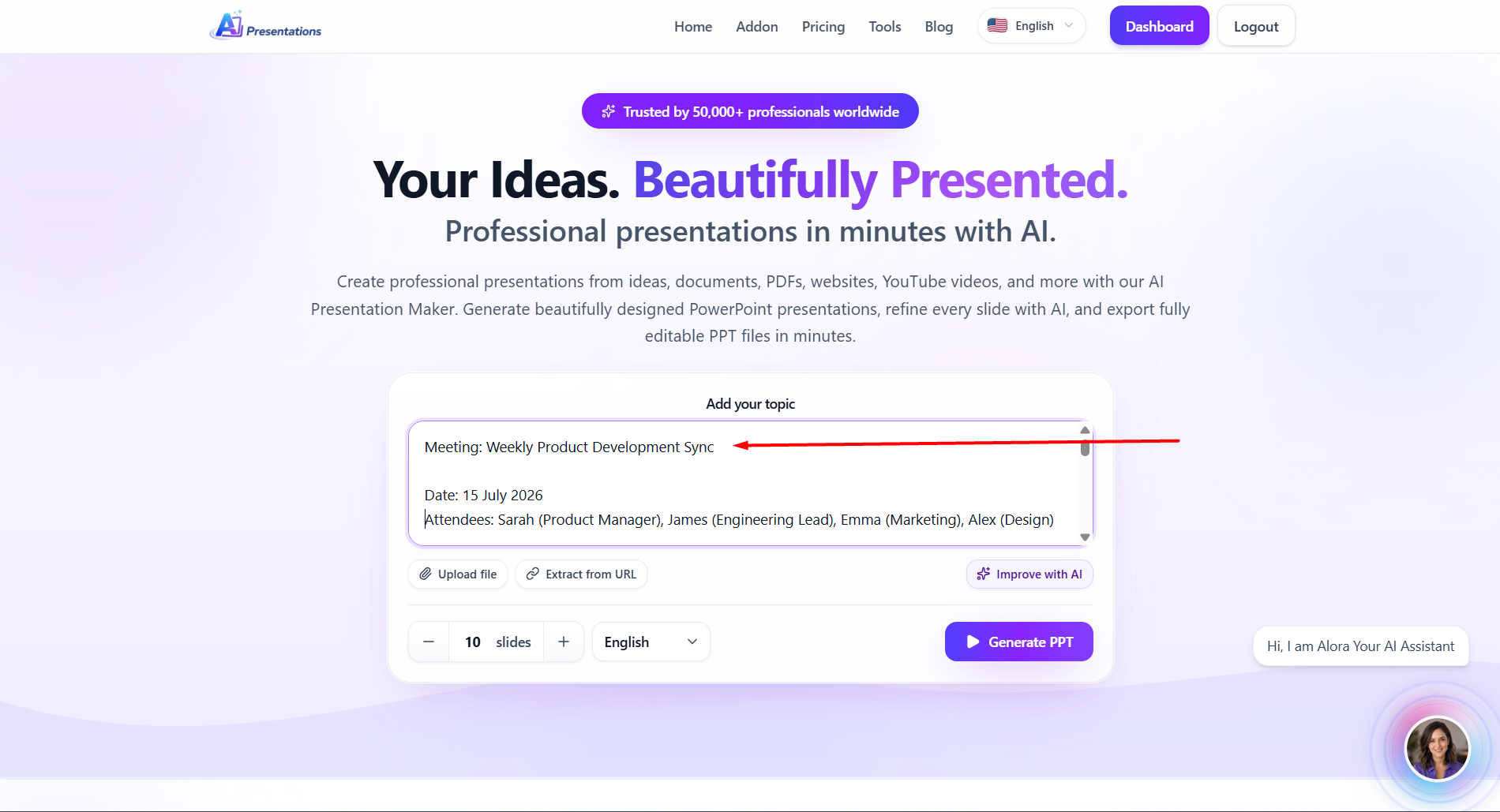
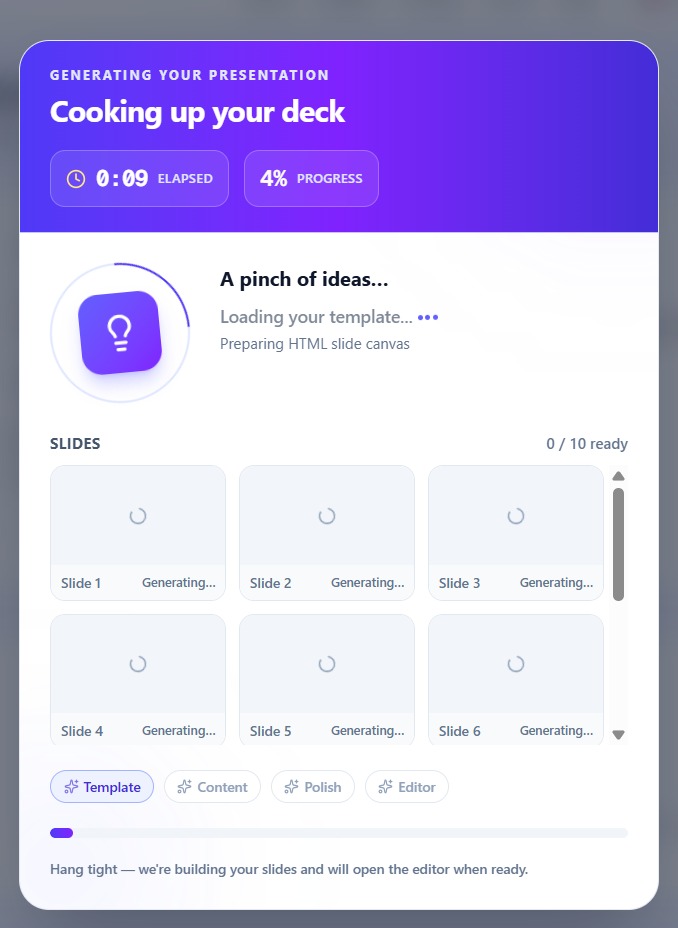
Step 3. Let AI Generate Your Presentation
AI tool analyses your meeting notes, identifies the key topics, and automatically creates a well-structured presentation with clear slide titles, organised content, and a logical flow.
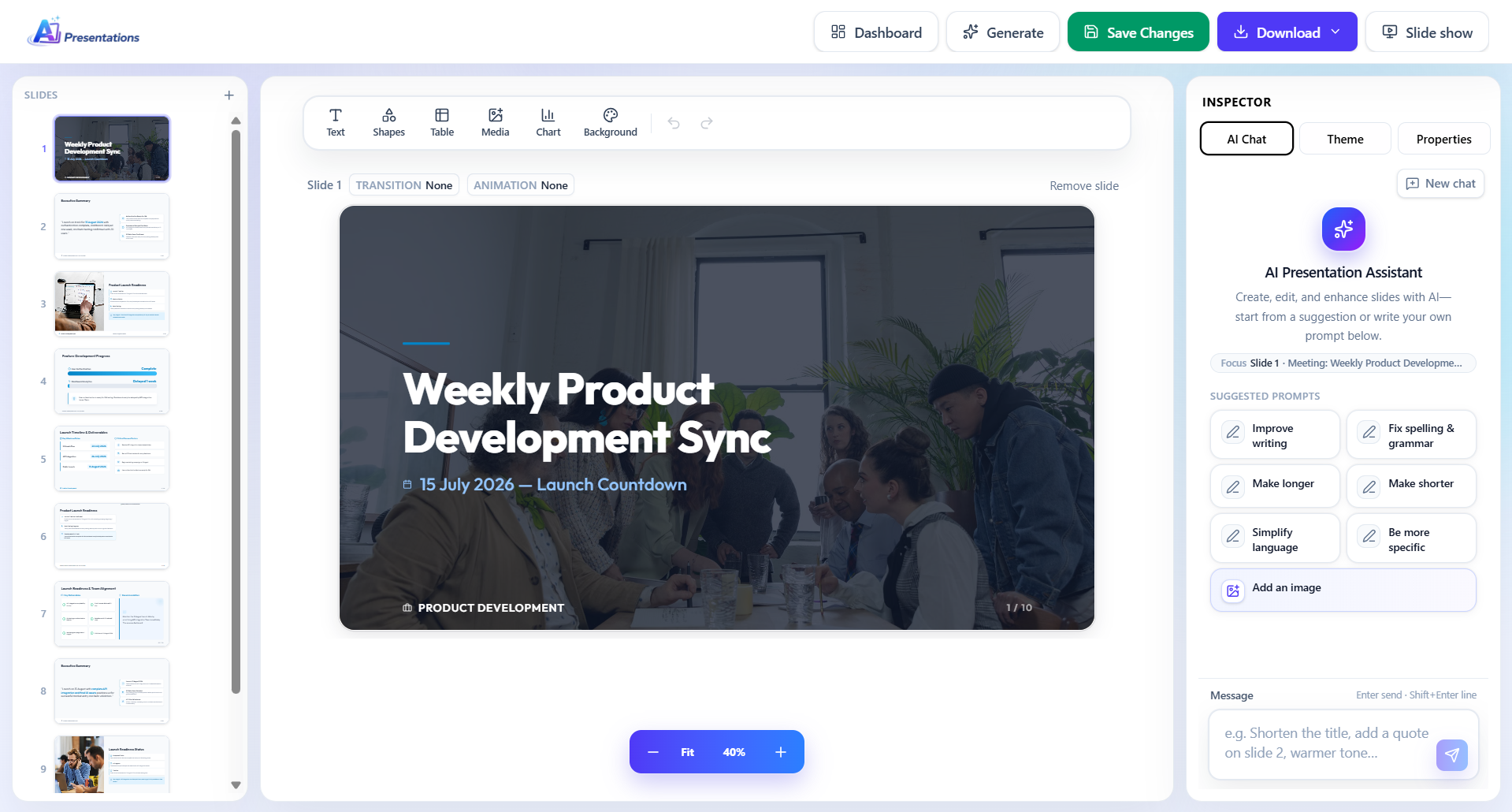
Step 4. Customise Your Slides
Edit the generated slides, choose a presentation template, adjust the layout, add visuals, and apply your branding to match your audience or company style.
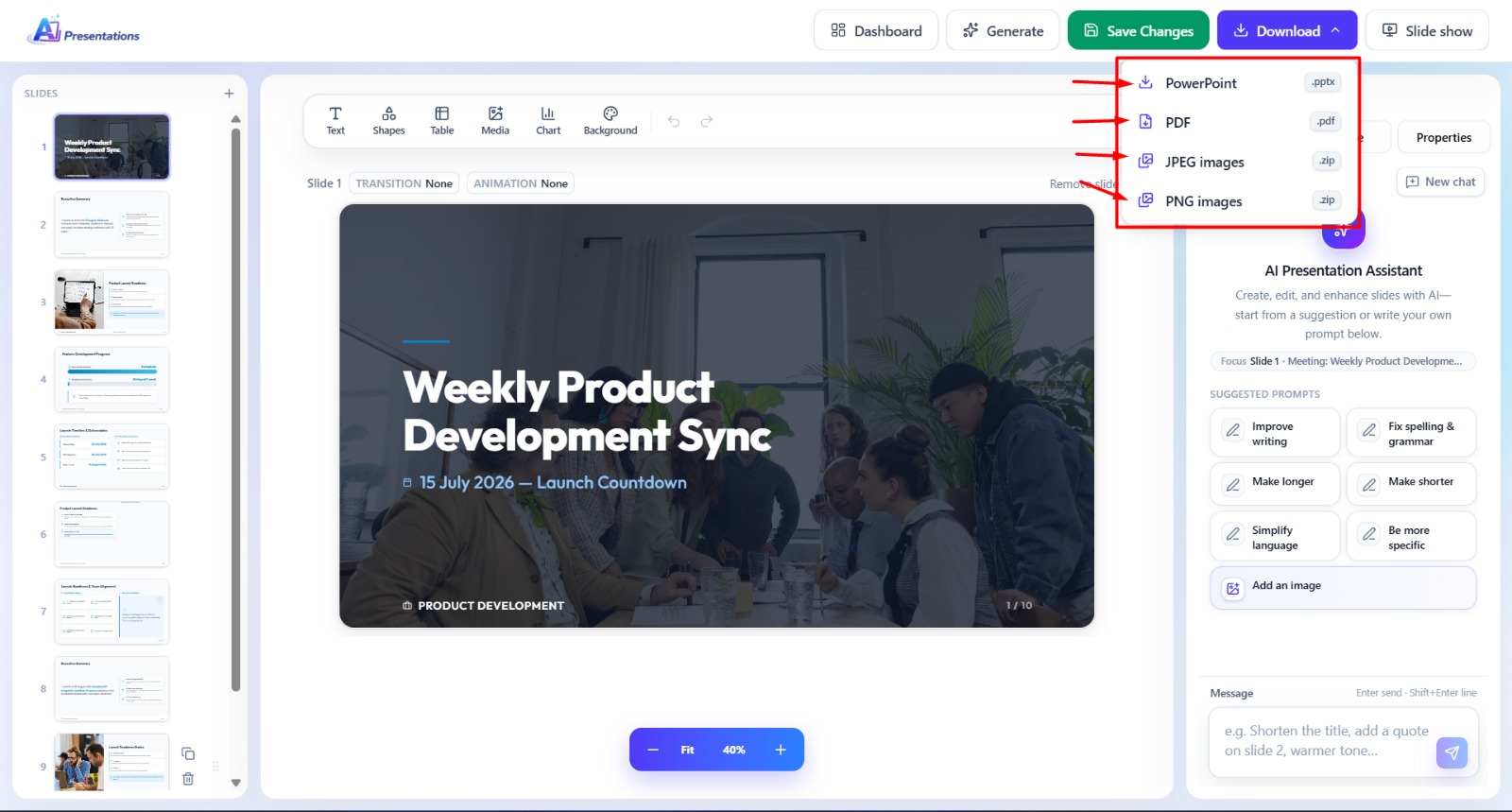
Step 5. Export and Share
Export your presentation as PowerPoint, Google Slides, or PDF, then share it with your team, clients, or stakeholders—all from a single workflow.
What Types of Meeting Notes Can You Convert into a Presentation?
AI tool can transform almost any type of meeting notes into a clear, professional presentation. Whether you’re sharing updates internally or presenting to clients, AI organises your content into well-structured slides.
- Team Meeting Notes – Summarise weekly updates, goals, and action items.
- Project Status Meetings – Highlight milestones, progress, blockers, and next steps.
- Client Meeting Notes – Turn client discussions into polished recap presentations.
- Sales Meeting Notes – Present opportunities, follow-ups, and sales strategies.
- Sprint Planning & Retrospectives – Convert Agile meeting notes into organised project slides.
- Board & Executive Meetings – Create concise presentations focused on key decisions and strategic updates.
- Brainstorming Sessions – Organise ideas into structured presentations for review and planning.
No matter the meeting type, AI tools helps you transform raw notes into engaging PowerPoint or Google Slides presentations in minutes.
Related: How to Convert Webinar to Presentation?
Tips for Creating Better Presentations from Meeting Notes
To get the best results, start with clear and well-organised meeting notes. A little preparation helps AI generate more accurate and professional slides.
- Focus on key points instead of including every conversation.
- Include action items and decisions so they’re highlighted in the presentation.
- Use headings or bullet points to improve content structure.
- Mention dates, deadlines, and owners for better context.
- Review the generated slides and make small edits before sharing.
With these best practices, AI tools can create presentation-ready slides that require minimal editing while keeping your message clear and professional.
Frequently Asked Questions
Q1. Can I convert meeting notes into a presentation?
Yes. You can convert meeting notes into a presentation manually or by using AI tools that automatically organise your notes into a structured slide deck.
Q2. What’s the difference between meeting notes and meeting minutes?
Meeting notes are informal summaries of key discussions, ideas, and action items. Meeting minutes are formal records that document attendees, decisions, motions, and outcomes, often used for official meetings.
Q3. What should be included in a meeting presentation?
A meeting presentation should typically include:
- Meeting objectives
- Key discussion points
- Decisions made
- Action items
- Timeline or deadlines
- Next steps
Q4. Can I convert meeting transcripts into a presentation?
Yes. AI tools can analyse meeting transcripts from platforms like Zoom, Google Meet, or Microsoft Teams, summarise the content, and organise it into presentation slides.
Q5. How many slides should a meeting presentation have?
It depends on the meeting, but most meeting presentations contain 5–10 slides, covering the agenda, discussion summary, decisions, action items, and next steps.
Q6. How can I make meeting presentations more engaging?
Keep slides concise, use visuals where appropriate, highlight key takeaways, avoid large blocks of text, and focus on actionable insights rather than detailed notes.
Conclusion
Converting meeting notes into a presentation doesn’t have to be a manual, time-consuming task. With the above mentioned AI tool, you can transform meeting summaries, action items, and key decisions into a professional PowerPoint or Google Slides presentation in minutes. Simply upload or paste your notes, let AI generate a structured slide deck, customise it to your needs, and export it in your preferred format so you can spend less time creating slides and more time acting on your meeting outcomes.
Also read: How to Create Webinar Presentation?