
HEAD-TO-HEAD REVIEW

AI Presentations or Gamma: Which Fits Your Workflow?

We tested both tools on exports, editing, inputs, and speed. Here is who each platform suits—and where AI Presentations fits if you need meeting-ready PPTX files.

Free tier available · No credit card to try

vs
AI Presentations

AI Presentations

4.6

User rating

2,200+ user ratings

Gamma

Gamma

4.4

User rating

Summary

Choose AI Presentations when you need a classic slide deck you can open in PowerPoint and keep editing. Gamma shines when you want a polished, link-first deck with a more web-like feel and built-in collaboration.

Where AI Presentations leads

  • Reliable PPTX downloads with layouts that hold up in PowerPoint
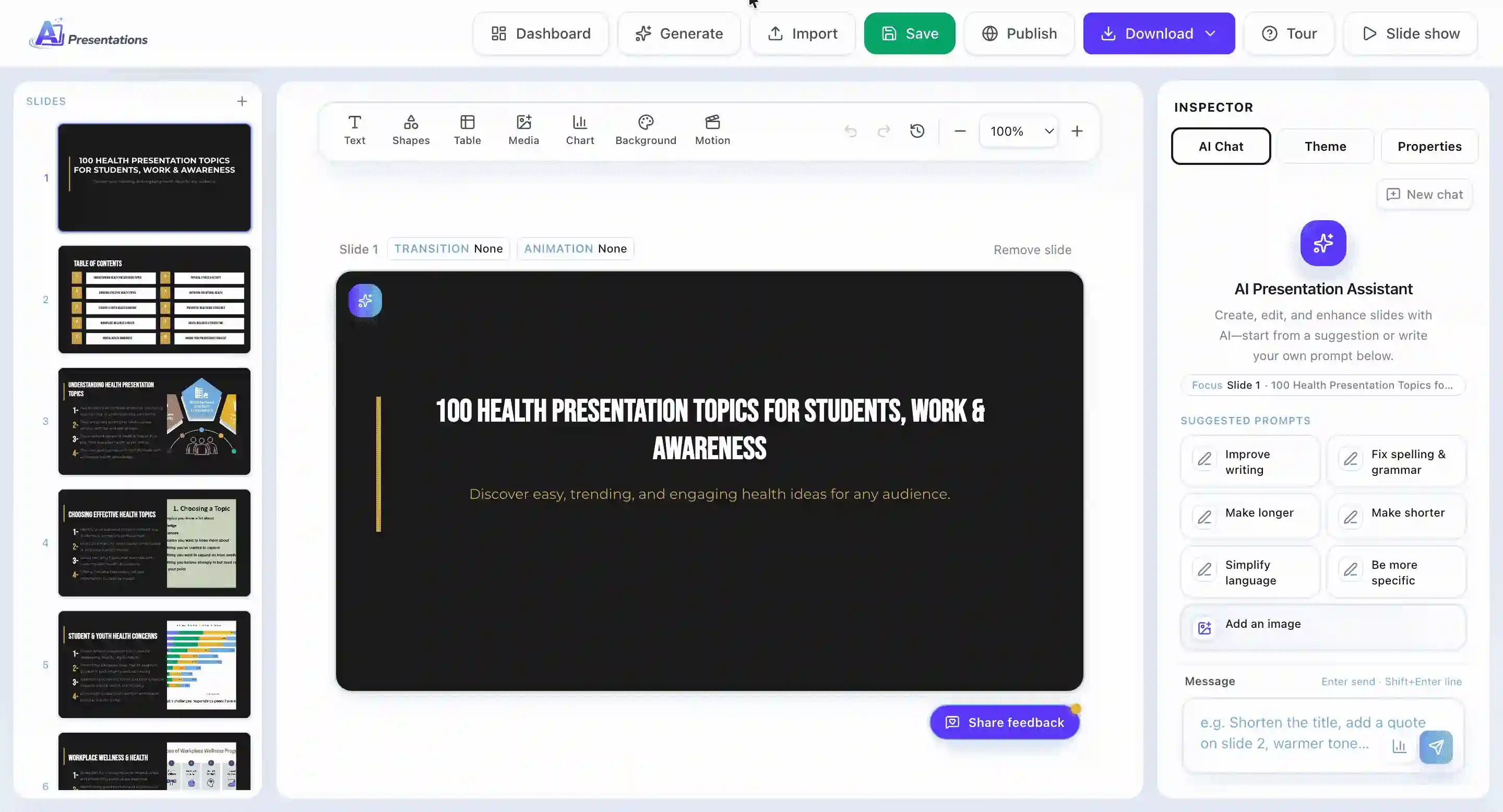
  • Full slide editor—not just a generated preview
  • Turn topics, links, PDFs, Word files, and YouTube into decks
  • Several layout themes for business and education
  • Typically faster from prompt to downloadable deck

Where Gamma leads

  • Scroll-style, interactive decks in the browser
  • Bold, contemporary visual templates
  • Motion and visual polish for live viewing
  • Real-time co-editing for teams

At a glance

Two Different Approaches to AI Decks

What each product is built for—and who tends to get the most value

What is AI Presentations?

AI Presentations turns prompts and files into structured slide decks you can refine like any normal presentation. The flow is aimed at people who present in meetings, classrooms, or client calls—not at building a microsite.

You describe what you need (or upload source material), review the outline, pick a look, then tweak slides in an editor. Most users spend little time fixing structure because the output already follows a familiar slide format.

Finished work exports as PPTX or PDF. Open PPTX in PowerPoint, Google Slides, or Keynote when your audience expects a standard file.

Founded
2024
Best for
Teams and individuals who want AI speed but need a normal PowerPoint workflow at the end
Try AI Presentations →
Gamma

What is Gamma?

Gamma generates presentations, one-pagers, and visual docs from a short brief. It is designed to produce something presentable quickly without manual slide building.

It gained traction with founders, marketers, and creators who want strong visuals with minimal design work—especially for sharing a link instead of attaching a file.

Decks often feel closer to a guided web page than a 16:9 slide stack: great for storytelling online, less ideal when your org standard is PowerPoint.

Founded
2020 (widely used since ~2022)
Best for
Shareable, design-forward decks and lightweight docs for web viewing
Visit Gamma →

How we tested

Our Testing Process

Same topics, same goals—compared on current product versions in 2026

We built six decks on each platform (business, education, and marketing briefs). AI Presentations usually produced an editable PPTX in about two to three minutes; Gamma needed roughly four to six minutes for its web-native format. Both were evaluated on paid tiers so export and credit limits matched what paying customers see.

6

Decks per tool

5

Capability areas

12mo

Price plans reviewed

2

Products in the test

Workflows

From Blank Page to Finished Deck

How each tool walks you through creation—step by step.

Building a deck in AI Presentations

Typical path when starting from a topic or file:

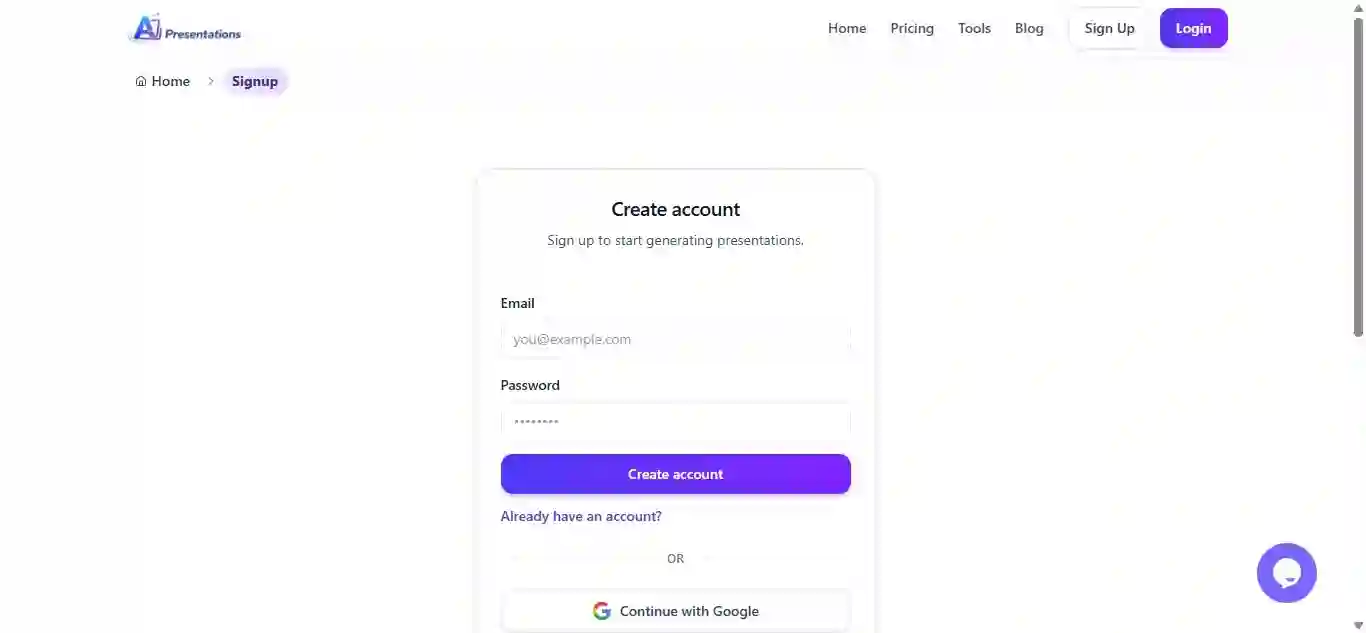
  1. 1

    Create your account

    Register with email or sign in with Google to access the app.

    AI Presentations sign up
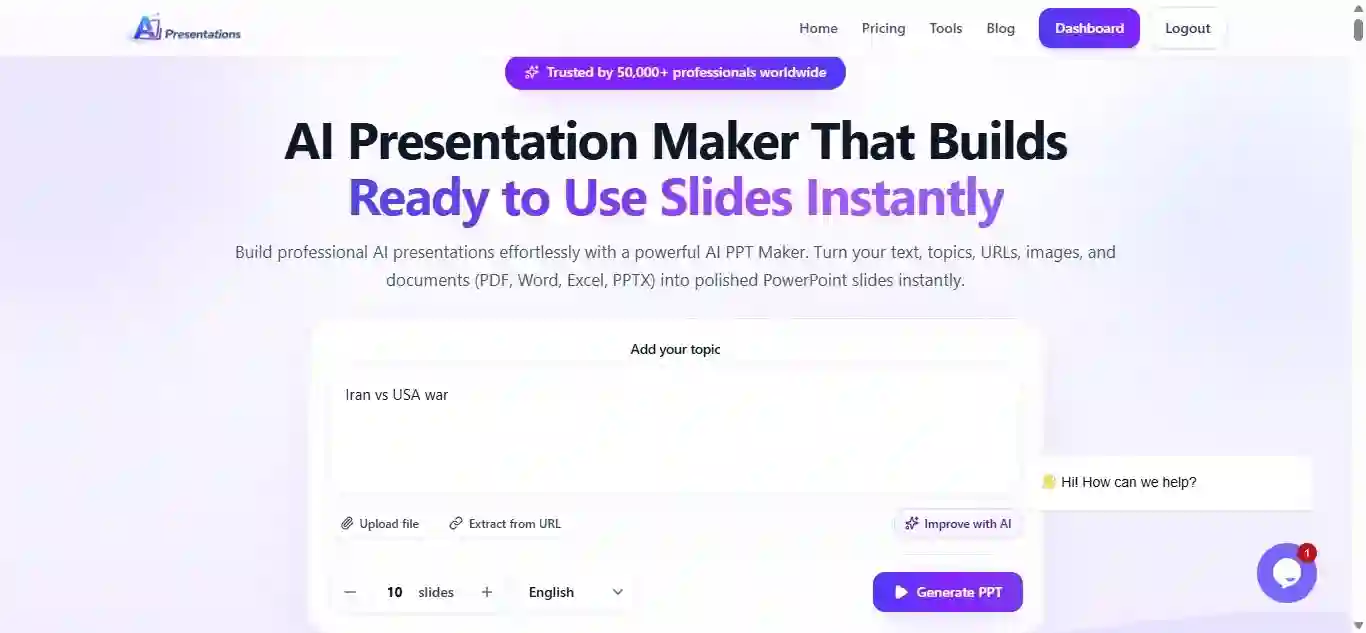
  2. 2

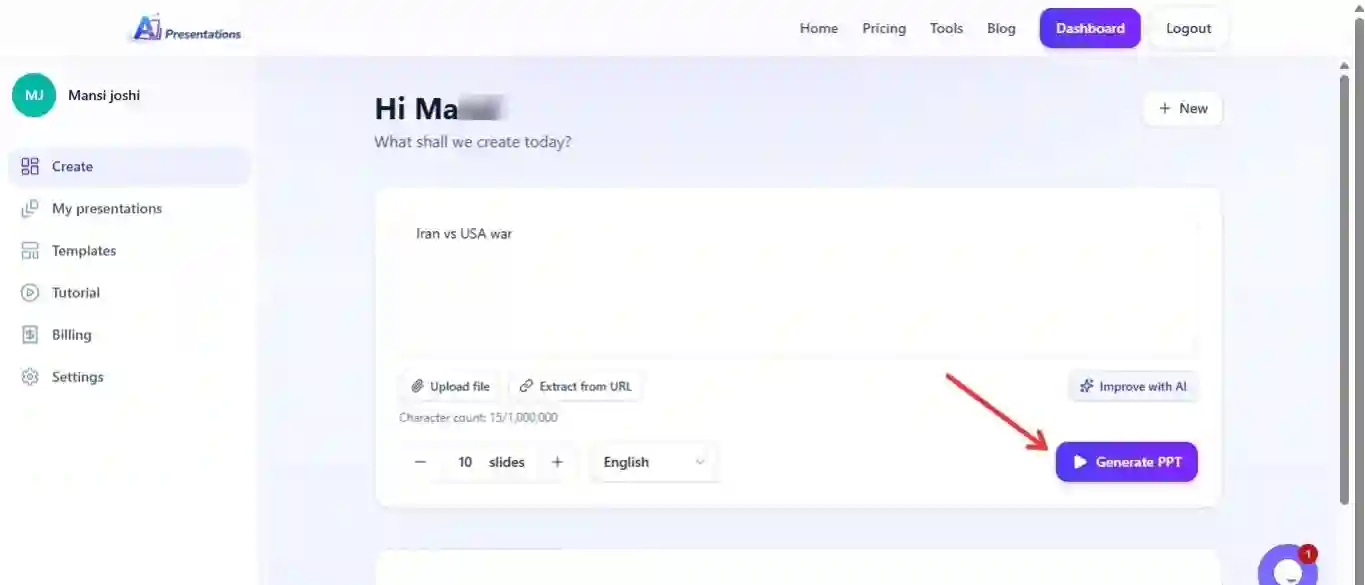
    Enter your topic or brief

    Describe the presentation on the home prompt—or paste a longer outline.

    AI Presentations prompt input
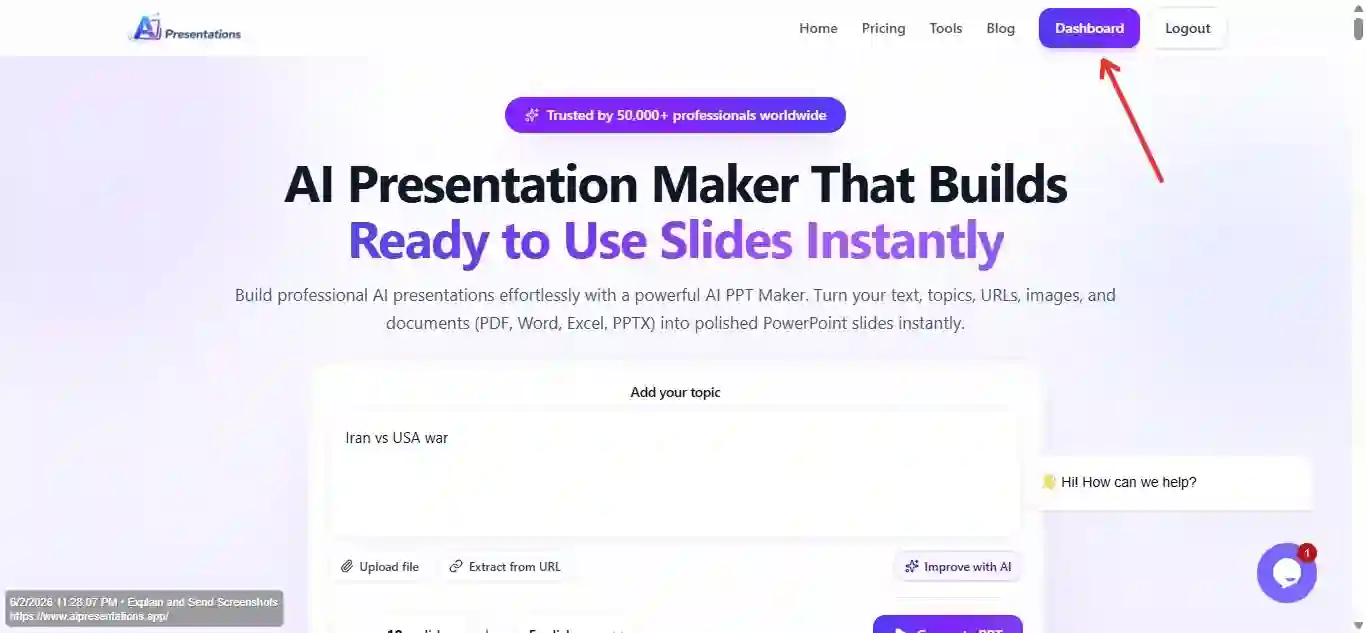
  3. 3

    Open the dashboard

    Use the dashboard for imports, templates, and advanced creation paths.

    AI Presentations dashboard
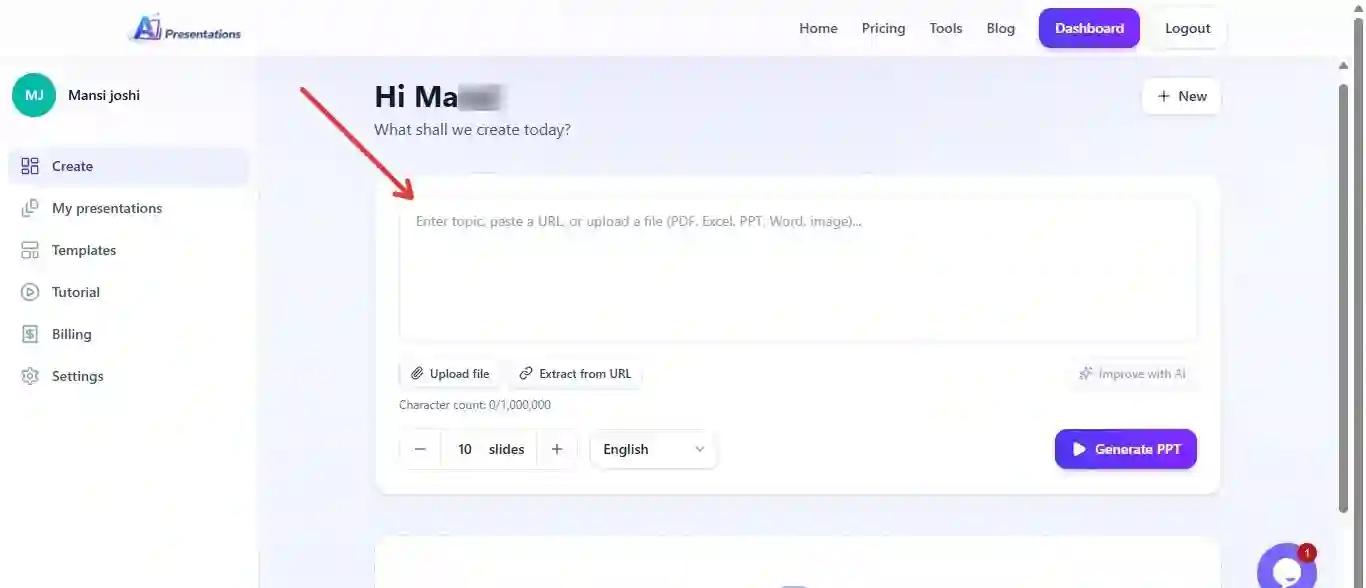
  4. 4

    Select how to start

    Choose AI generation, a blank deck, or import from an existing file.

    AI Presentations creation method
  5. 5

    Use Start with AI

    For hands-off drafting, Start with AI is the fastest route to a full outline.

    AI Presentations Start with AI
  6. 6

    Add source material

    Drop in a URL, PDF, DOCX, image, YouTube link, or PPTX to steer the content.

    AI Presentations content upload
  7. 7

    Run generation

    Submit your inputs and let the model draft slides and structure.

    AI Presentations generating
  8. 8

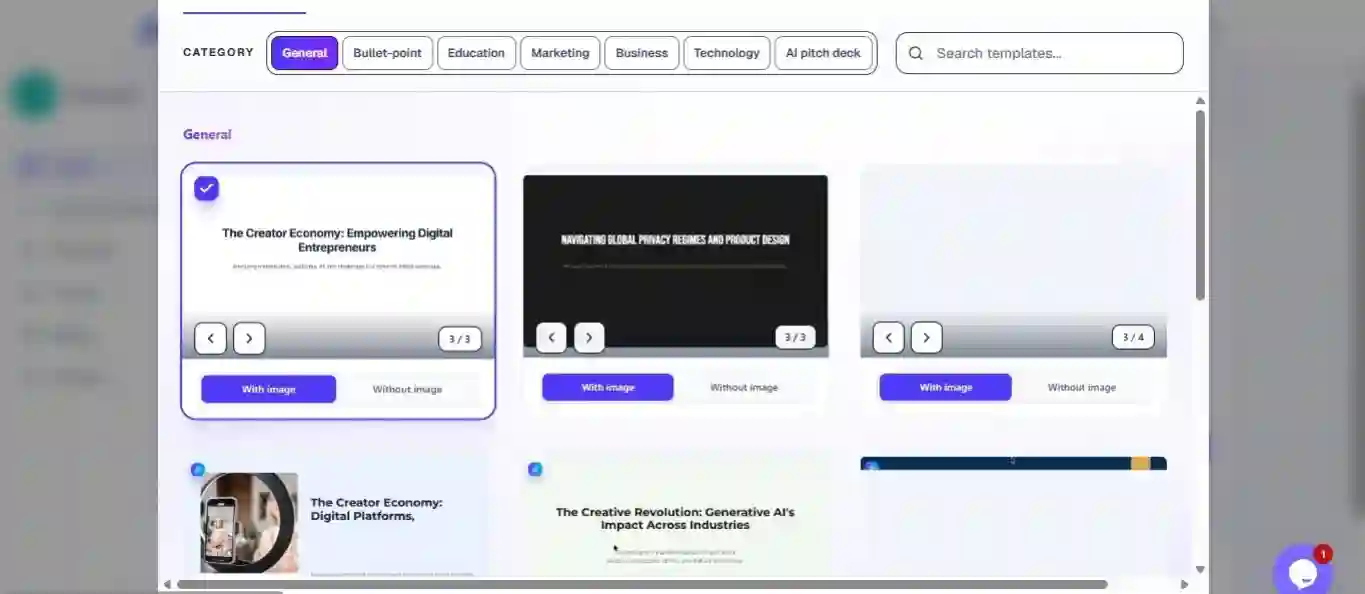
    Pick a template

    Choose a layout pack that fits your audience; browse more styles if needed.

    AI Presentations template selection
  9. 9

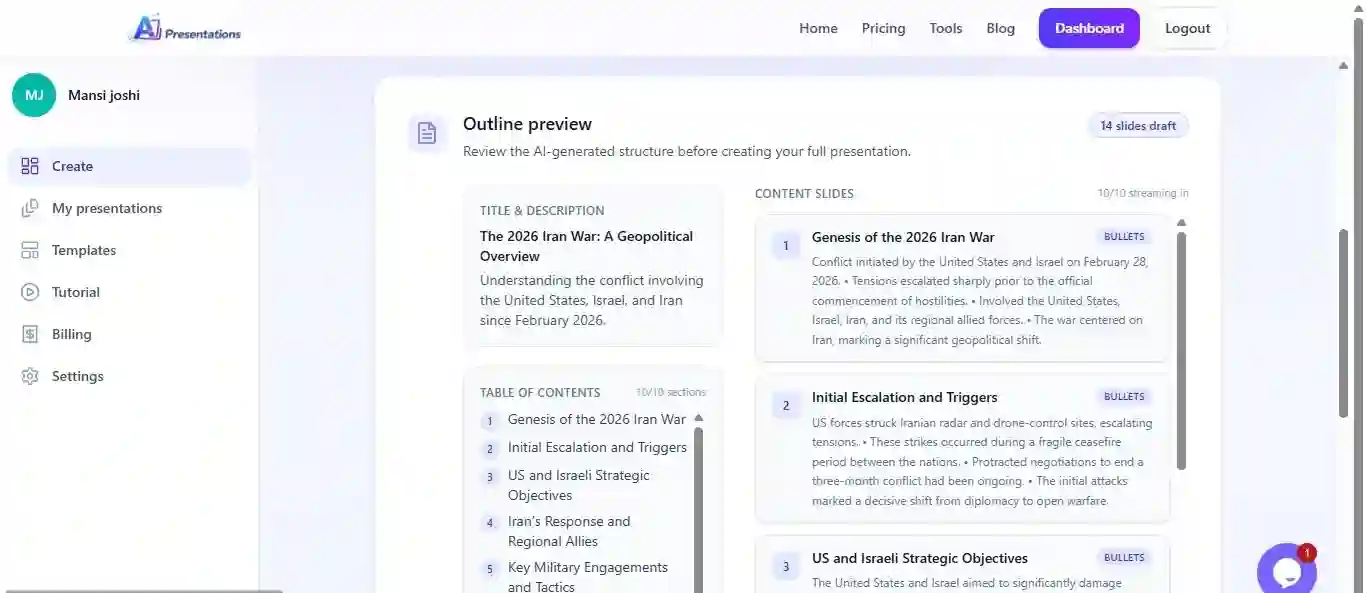
    Confirm outline, then build

    Generate the outline first, review it, then produce the full deck in one pass.

    AI Presentations generate presentation
  10. 10

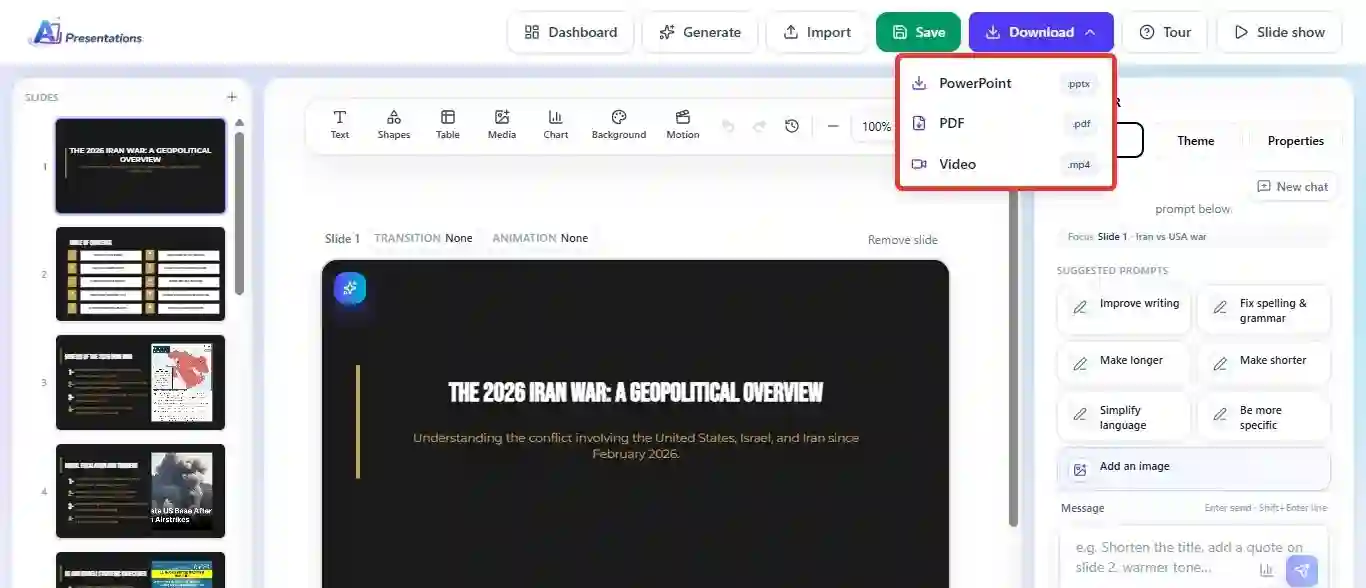
    Export your file

    Download PPTX or PDF when the deck is ready for your meeting or LMS.

    AI Presentations export

Building a deck in Gamma

Typical path from signup to share link:

  1. 1

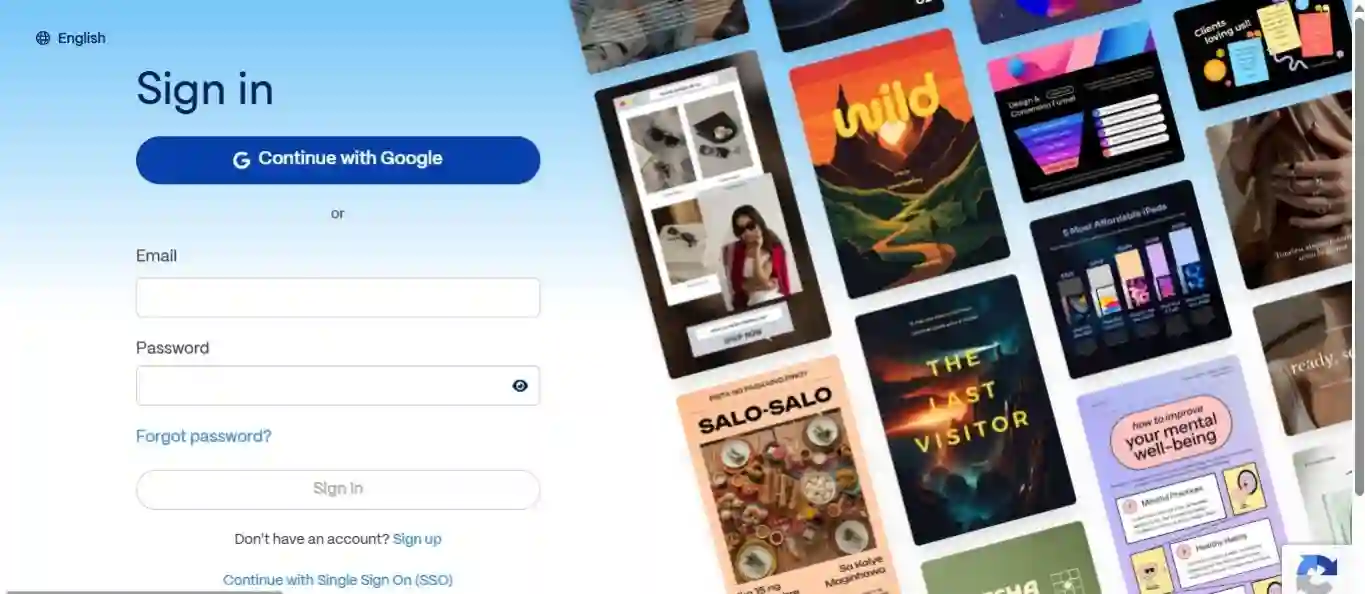
    Sign up on Gamma

    Create a free account from the Gamma homepage to access the editor.

    Gamma sign up page
  2. 2

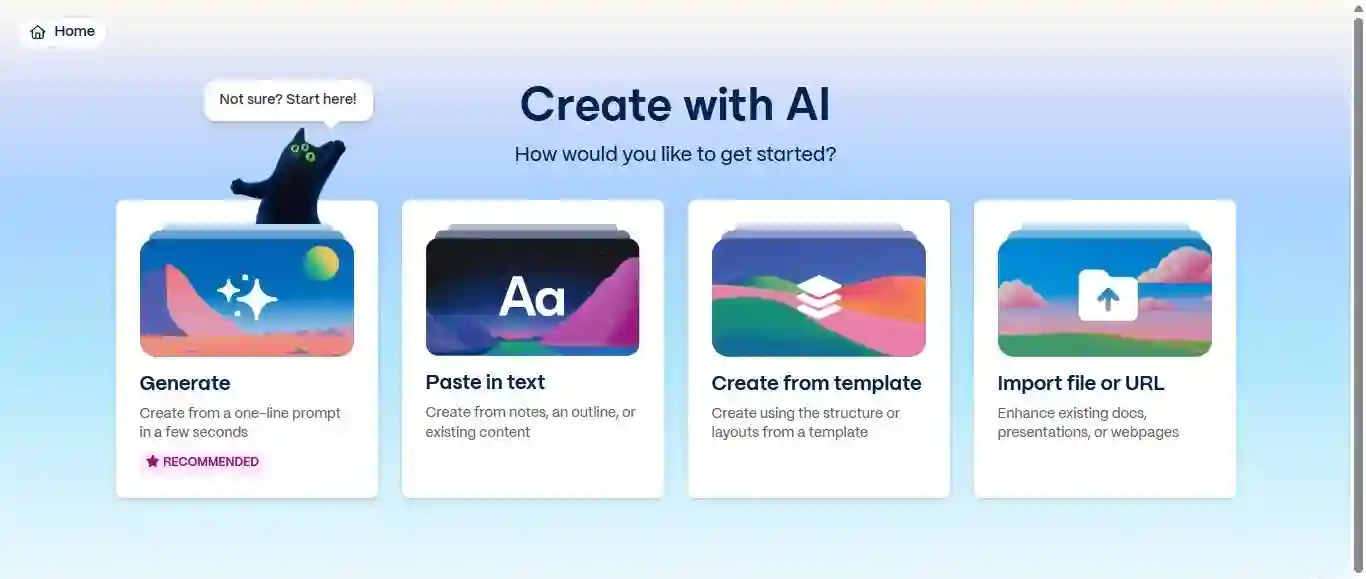
    Pick a starting mode

    Gamma offers generate-from-prompt, paste text, templates, or import. Pick the entry point that matches your source material.

    Gamma creation options
  3. 3

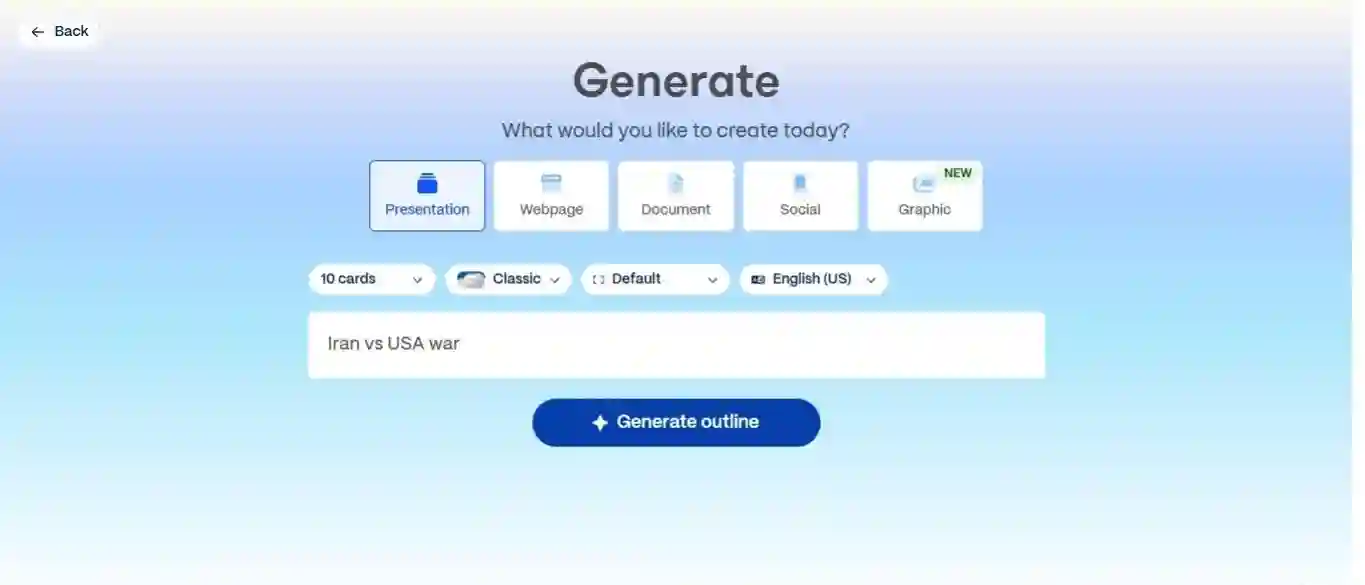
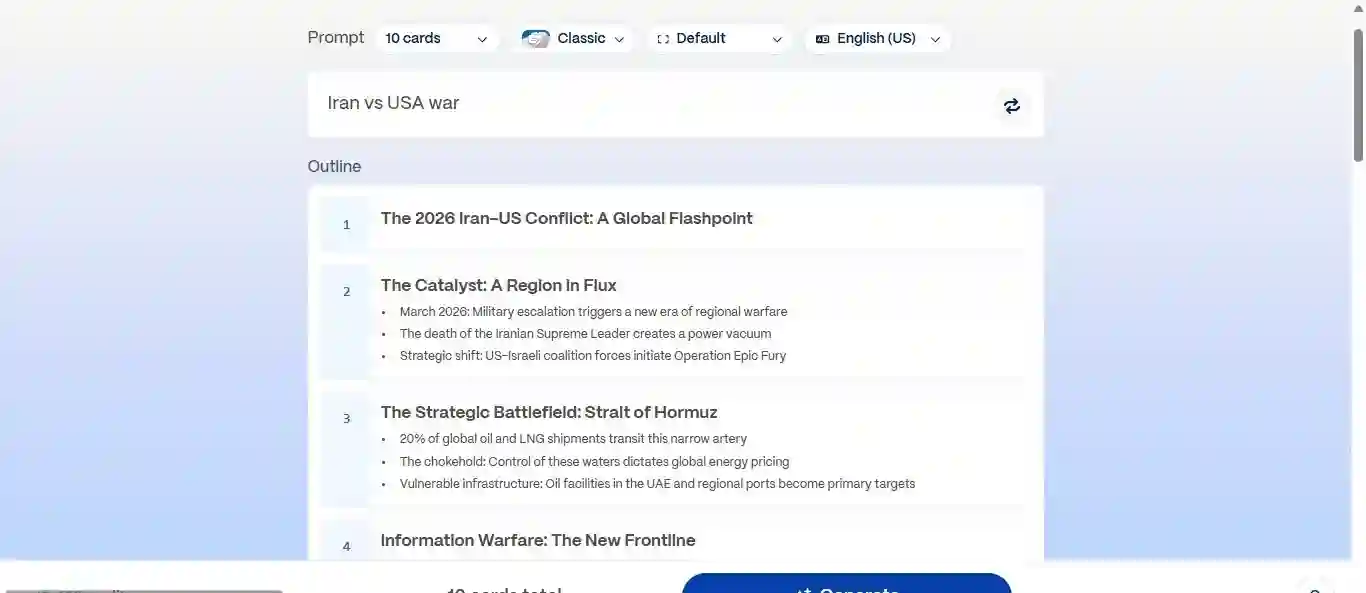
    Set format and enter your brief

    Choose presentation (or doc/web format), type your topic, and adjust card count or language if your plan allows.

    Gamma prompt input
  4. 4

    Approve the outline

    Review the auto-generated structure, then confirm to move into design.

    Gamma outline generation
  5. 5

    Apply a theme and generate

    Select a visual theme and run the full generation pass.

    Gamma theme selection
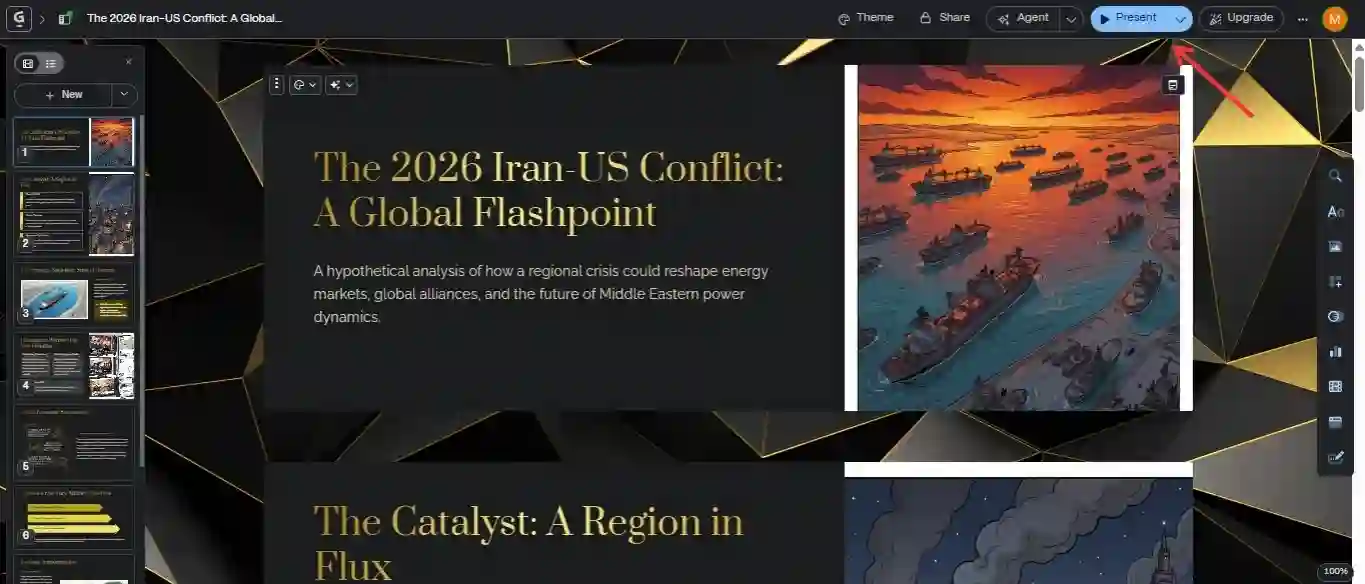
  6. 6

    Refine and present

    Edit cards in Gamma, then use Present mode for live viewing.

    Gamma slide editor
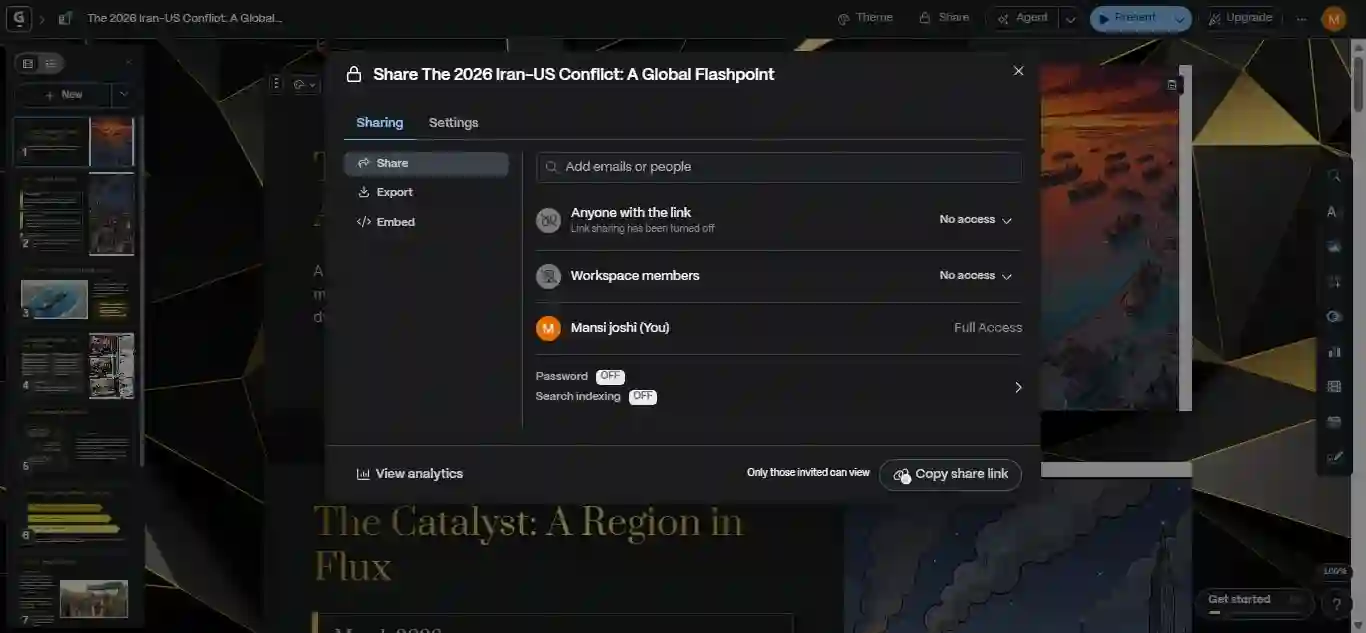
  7. 7

    Share with a link

    Send a view or edit link to collaborators or your audience.

    Gamma share options
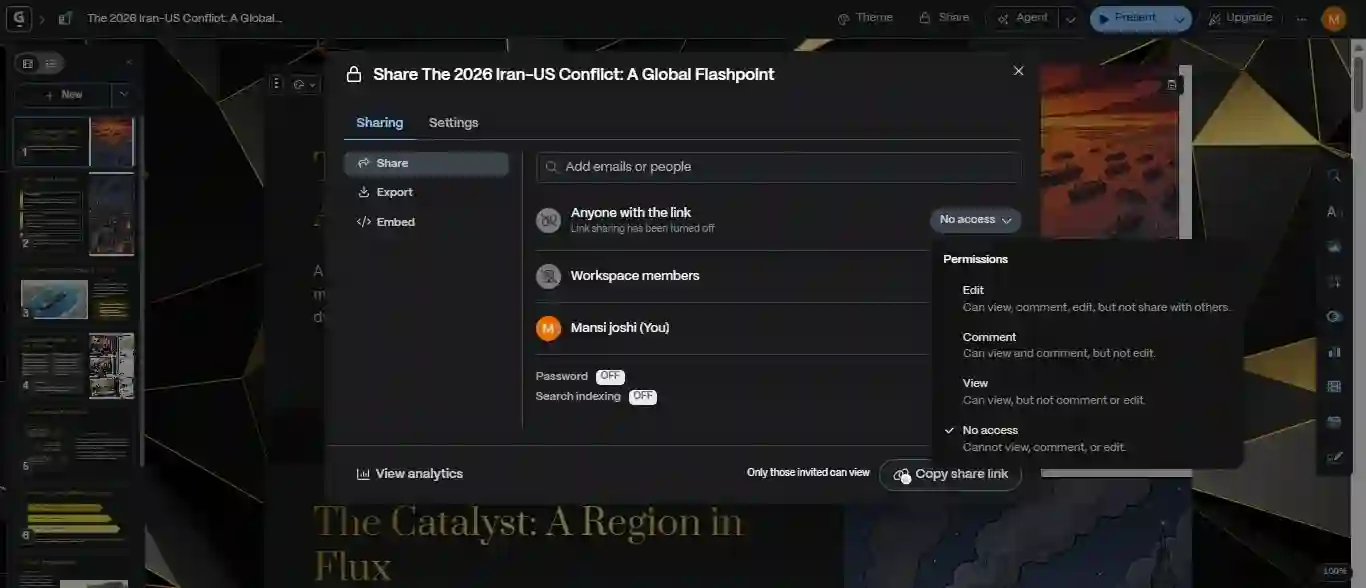
  8. 8

    Control access

    Set whether guests can view, comment, or edit from share settings.

    Gamma permissions
  9. 9

    Download if needed

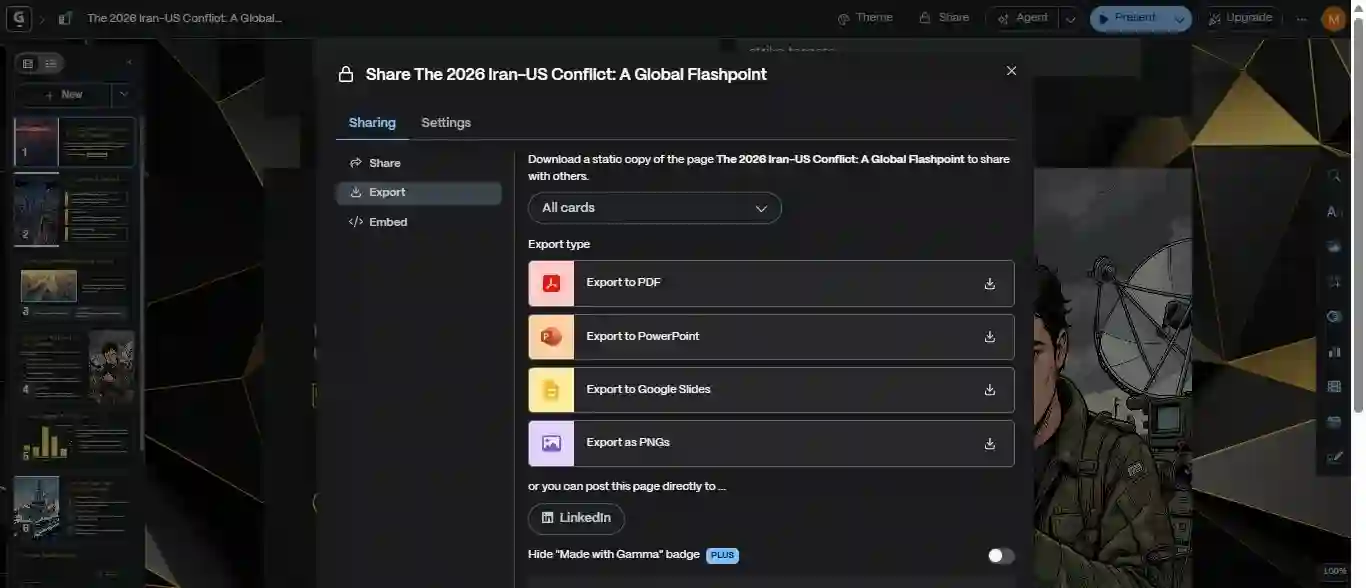
    Export to PDF, PPTX, or image formats when you need a file copy.

    Gamma export settings

DEMO

See AI Presentations in action

AI Presentations
Our pick

Capabilities

Feature checklist

Both tools use AI to draft decks, but they optimize for different outcomes. This table highlights practical differences—not every marketing bullet.

FeatureAI PresentationsGammaGamma
Free tierFree plan, no cardOne-time AI credits
PowerPoint (.pptx) exportPaid tiers
Open in Google SlidesVia exported file
URL or YouTube input
PDF or Word inputPDF mainly
Edit in PowerPoint after exportLimited fidelity
AI-generated images
Custom fonts / brandingPro tierHigher tier
Unlimited free generationsMonthly creditsCredit model
Interactive web-style decksCore strength
Output languages100+60+

Visual output

How Decks Look—and Export

In-browser polish versus file compatibility after download

AI Presentations

AI Presentations prioritizes slides that still make sense in PowerPoint: consistent titles, bullets, and image placement after export. The trade-off is fewer cinematic transitions and less “microsite” flair in the native viewer.

Gamma

Gamma

Gamma decks often look striking in the browser—smooth typography and layout for scrolling presentation. Moving the same deck to PPTX or PDF can shift spacing, fonts, or motion, so plan extra cleanup if PowerPoint is the final destination.

Takeaway

For link-only pitches, Gamma’s in-app experience can feel more impressive. For board meetings, classes, and clients who want a PPTX attachment, AI Presentations usually needs less repair work after export.

AI drafting

How the AI Writes and Structures Slides

Prompt quality, inputs, and how much you can reshape the result

AI Presentations

AI Presentations focuses on slide-ready structure: headings, bullets, visuals, and notes. You can feed text, links, video, PDFs, and Word files, then regenerate individual slides from the editor.

Gamma

Gamma

Gamma’s model leans toward narrative flow and card-based sections—strong for thought leadership and marketing stories. It accepts fewer source types than a full import pipeline.

Takeaway

Both write competent first drafts. Gamma is optimized for scrollable, visual storytelling; AI Presentations is optimized for decks you will present from PowerPoint or Slides.

Pricing

Plans and What You Get

What paid tiers unlock on each side (prices checked in 2026)

Strong value

AI Presentations

Pro

$9/mo

  • Generous monthly slide credits
  • PPTX & PDF export
  • Premium themes
  • Priority support
View our plans

Gamma

Plus

$10/mo

  • Monthly AI credits
  • Remove Gamma branding
  • Custom fonts
  • PDF & PPTX export
See Gamma pricing

Pros & cons

Strengths and Trade-offs

A balanced look at where each tool leads—and where it lags

AI Presentations Pros

  • Many input types: text, URL, YouTube, PDF, DOCX
  • PPTX export built for real meetings
  • Slides remain editable after download
  • In-editor AI chat for revisions
  • AI imagery included in the workflow
  • Free tier to learn the product
  • Multilingual deck generation

Gamma Pros

  • Eye-catching, modern default designs
  • Great for shareable link presentations
  • Solid first-draft copy
  • Collaboration-friendly sharing
  • Trial credits on signup
  • Built-in image generation

AI Presentations Cons

  • Smaller template gallery than Gamma’s visual library
  • Free tier caps monthly usage
  • No native scroll-style / web-deck mode
  • Less flashy for pure link-based storytelling

Gamma Cons

  • PPTX export tied to paid plans
  • Fewer import options than AI Presentations
  • Export can alter layout details
  • Usage tied to credit buckets

Who should use what

Which Tool Should You Pick?

Match the product to how you actually deliver presentations

Pick AI Presentations if…

  • You must deliver a PPTX or PDF attachment
  • Your source material lives in docs, URLs, or video
  • Stakeholders edit slides in PowerPoint after you share
  • You want a straightforward editor, not a new format
  • Export fidelity matters more than in-browser effects
Gamma

Pick Gamma if…

  • You mostly share a link, not a file
  • Motion and layout wow factor beat slide compatibility
  • Your deck is closer to a visual story than a board pack
  • You prefer card-based flow over classic bullets
  • Live collaboration in one shared workspace is critical

Bottom line

Our Take

Gamma is hard to beat for a beautiful, browser-first experience—especially when the deck never has to leave a URL.

AI Presentations is the better default when your week revolves around PowerPoint: client reviews, university submissions, or internal meetings where everyone expects a familiar file. Imports from video, PDFs, and documents plus an editor that behaves like slides—not a webpage—save time after the AI finishes.

If your job is marketing microsites or narrative links, keep Gamma on the shortlist. If your job is shipping slide decks that survive export, AI Presentations is the safer bet.

Try it

Build a deck in minutes

Describe your topic below and see how AI Presentations structures a real slide deck.

AI Presentations · drafts your slides from your brief

slides

Example prompts

New decks created every day by teams and students

FAQ

Common questions

AI Presentations is built for people who want AI drafting but still need a normal PPTX at the end—with editing, imports, and exports aimed at PowerPoint workflows.

Yes. AI Presentations includes a free tier so you can generate and export within plan limits before upgrading.

Common reasons include stricter PPTX requirements, more import sources (URL, video, Word), traditional slide editing, and pricing that maps to monthly slide credits instead of one-off credits.

Gamma can export PPTX on paid plans, but layout and fonts may change. AI Presentations is designed around keeping slide structure stable when you open the file in PowerPoint.