
AI PRESENTATION SOFTWARE COMPARISON

AI Presentations vs SlidesAI: Which Tool Creates Better PowerPoint Presentations?

If you're searching for a SlidesAI alternative, it's important to look beyond basic AI slide generation. Features such as presentation quality, editing flexibility, content inputs, and export options can make a significant difference in everyday use. This comparison helps you understand where AI Presentations and SlidesAI differ and which tool delivers the better overall presentation experience.

Free tier available · No credit card to try

vs
AI Presentations

AI Presentations

4.6

User rating

2,200+ user ratings

SlidesAI

SlidesAI

4.3

User rating

Summary

Choose AI Presentations if you need complete, editable PowerPoint presentations with flexible content inputs and downloadable PPTX files. SlidesAI is a good fit for users who primarily work inside Google Slides and want to quickly convert text into slide content.

Where AI Presentations Leads?

  • Editable PPTX presentations for PowerPoint workflows
  • Generate presentations from topics, PDFs, URLs, documents, and videos
  • More flexible content-to-presentation creation options
  • Professional presentation templates for business, education, and training
  • Faster path from idea to presentation-ready deck

Where SlidesAI Leads

  • Native integration with Google Slides
  • Simple text-to-slides workflow for existing presentations
  • Familiar experience for Google Workspace users
  • Quick slide generation directly within the browser
  • Suitable for users focused on Google Slides environments

At a Glance

Two AI Presentation Tools Built for Different Workflows

Both platforms use AI to speed up presentation creation, but they are designed for different types of users. AI Presentations focuses on generating complete presentations from multiple content sources, while SlidesAI helps users turn written text into slides directly within Google Slides.

What is AI Presentations?

AI Presentations is an AI presentation maker that transforms topics, documents, PDFs, URLs, videos, and other content into structured slide decks. It is built for professionals, educators, students, and teams that need presentation-ready slides without starting from scratch.

Users can generate presentations, edit content, customize designs, and export fully editable PPTX or PDF files. The platform is designed to simplify presentation creation while maintaining compatibility with PowerPoint workflows.

Founded
2024
Best for
Users who need complete AI-generated presentations with editable PowerPoint exports
Try AI Presentations →
SlidesAI

What is SlidesAI?

SlidesAI is an AI slide generator that helps users create presentations from text inside Google Slides. Instead of building presentations manually, users can provide a topic or content draft and generate slides within their existing Google Workspace environment.

The platform is geared toward users who primarily create and edit presentations in Google Slides and want a faster way to convert text into presentation content.

Founded
2023
Best for
Google Slides users looking for a quick text-to-presentation workflow
Visit SlidesAI

How We Tested

Our Testing Process

We created multiple presentations across business, education, training, and marketing use cases using both platforms. Each tool was evaluated using its available premium features to ensure a fair comparison. We tested how well AI Presentations and SlidesAI handled content generation, slide structure, customization, presentation quality, export options, and overall ease of use. We also reviewed the complete workflow from initial prompt to finished presentation to understand which platform delivers the most efficient presentation creation experience.

6

Decks per tool

5

Capability areas

12mo

Price plans reviewed

2

Products in the test

AI Presentation Process

From Input to Finished Presentation

How Both Tools Build Decks

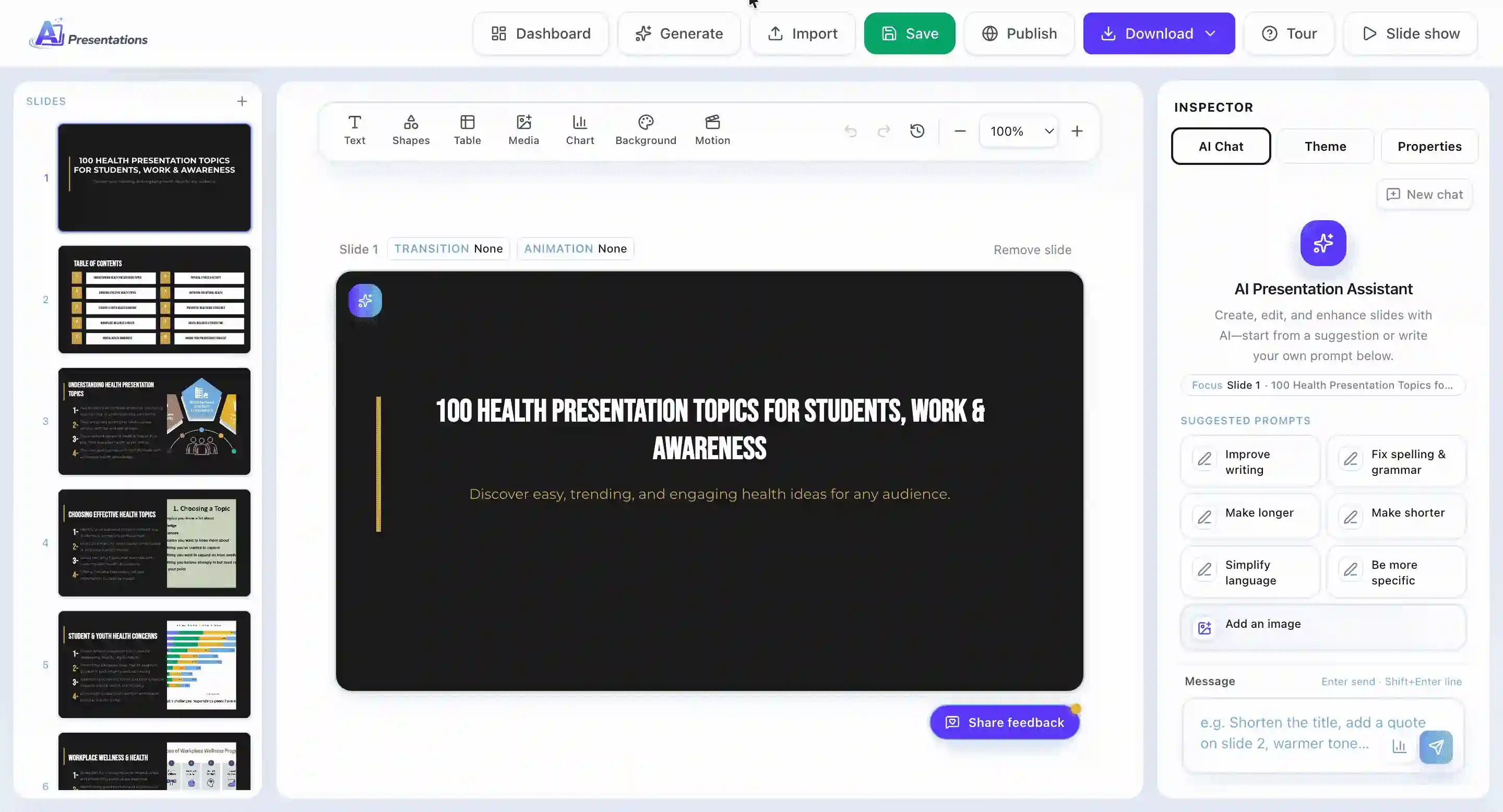
Generating a deck in AI Presentations

Standard process for creating presentations.

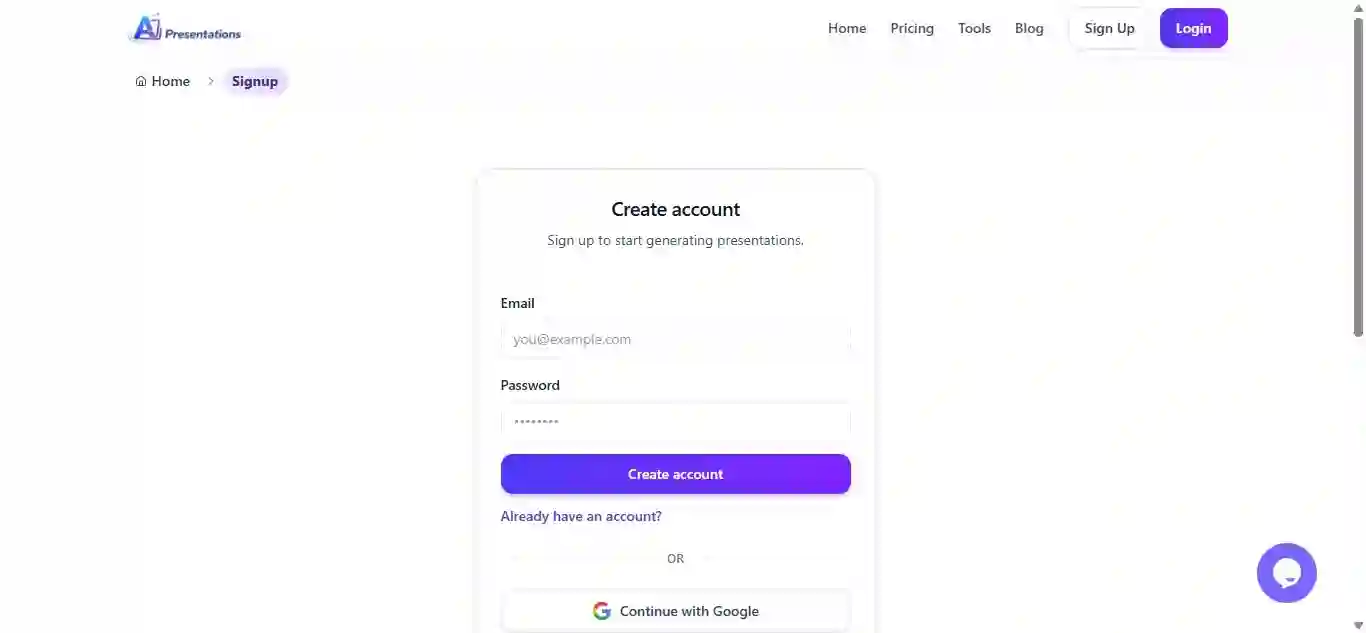
  1. 1

    Create your account

    Sign up with email or continue with Google.

    AI Presentations sign up
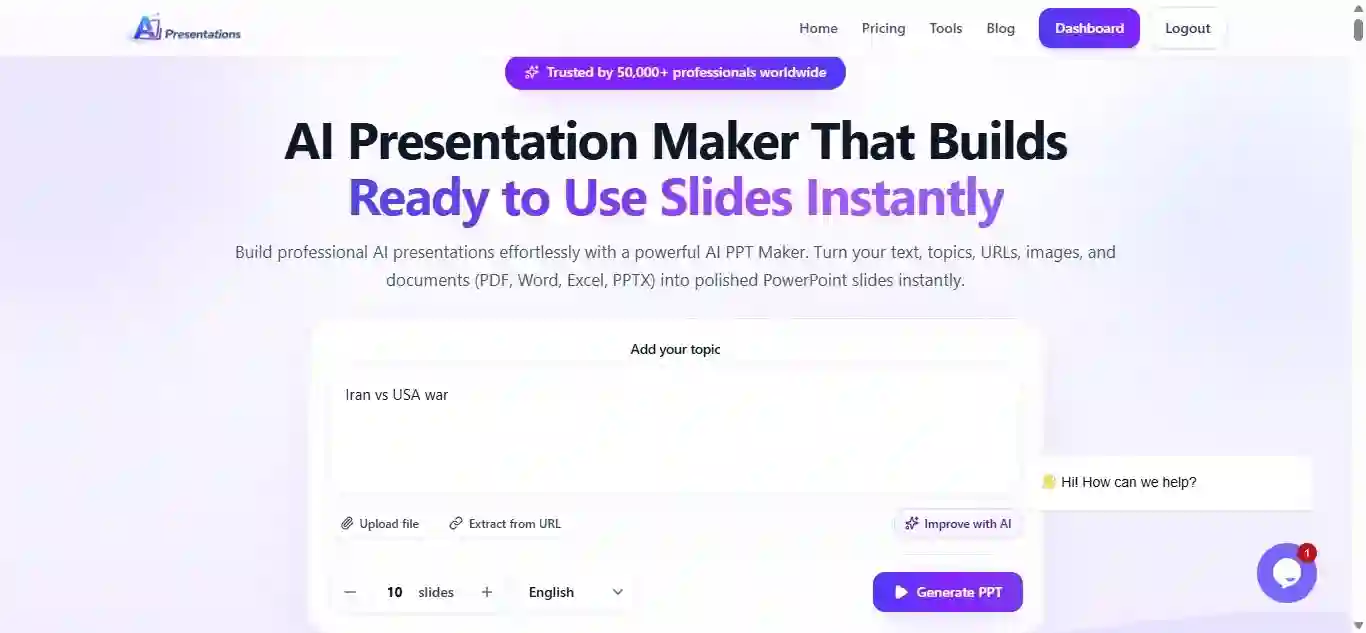
  2. 2

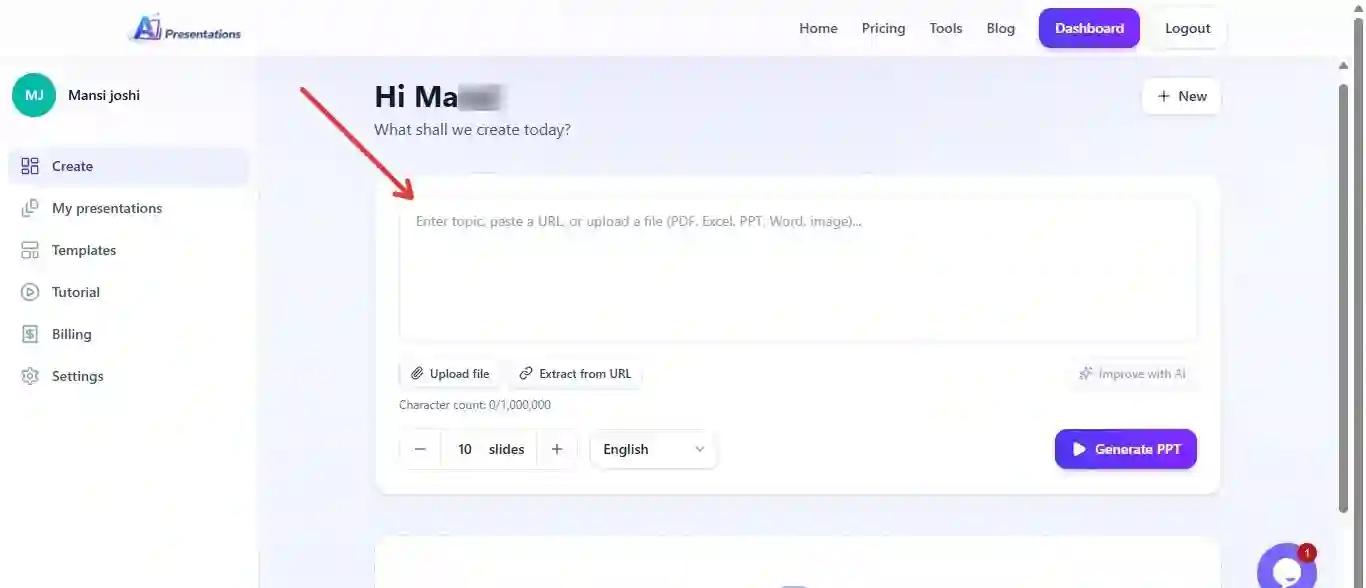
    Enter your topic

    Add a presentation topic, prompt, or brief description.

    AI Presentations prompt input
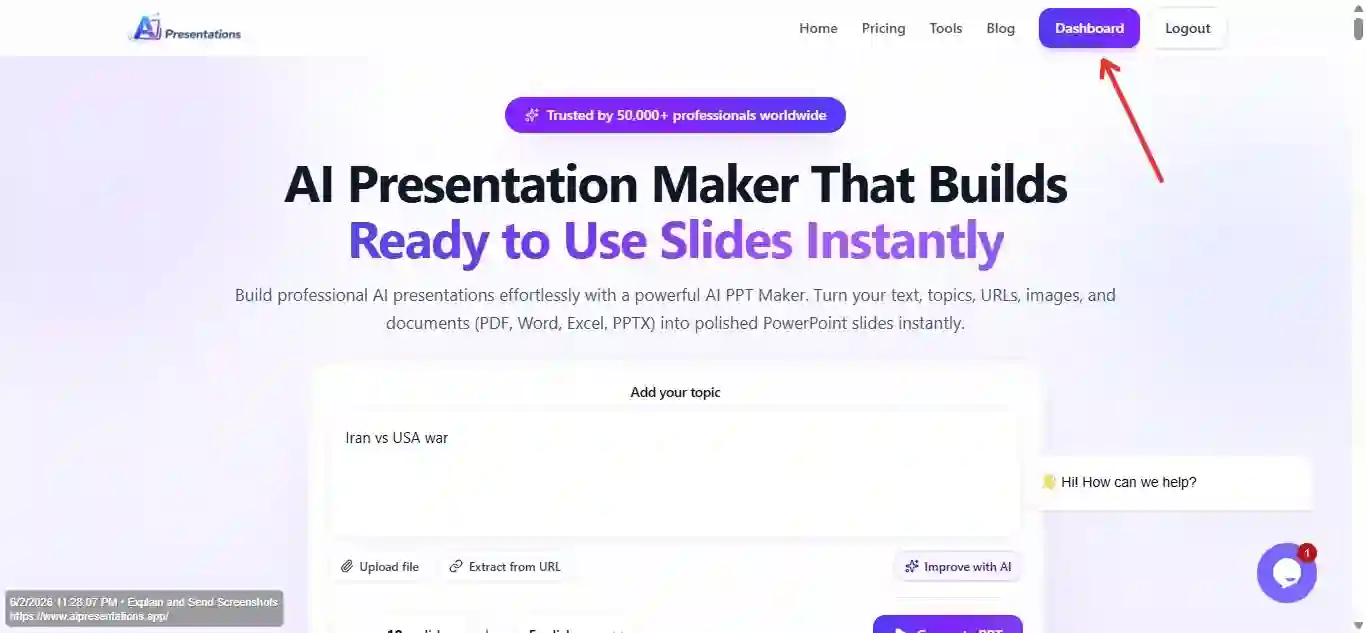
  3. 3

    Open the dashboard

    Access templates, imports, and AI presentation tools.

    AI Presentations dashboard
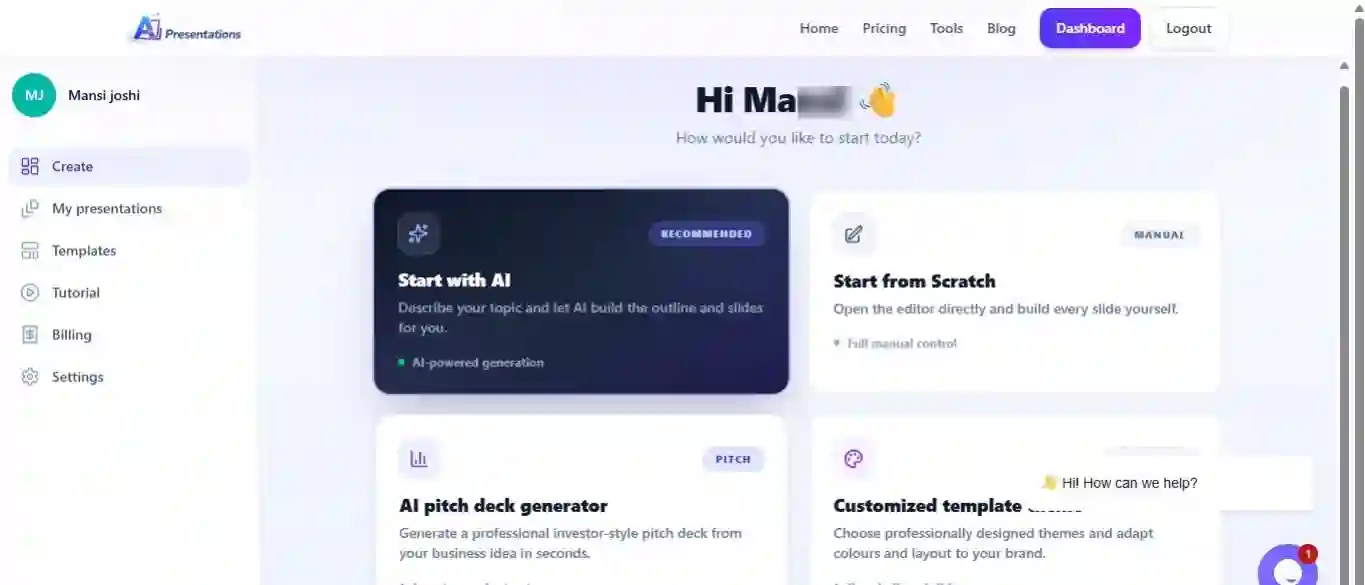
  4. 4

    Choose a starting point

    Start with AI, a blank presentation, or an existing file.

    AI Presentations creation method
  5. 5

    Add source content

    Upload PDFs, DOCX files, URLs, YouTube links, images, or PPTX files.

    AI Presentations Start with AI
  6. 6

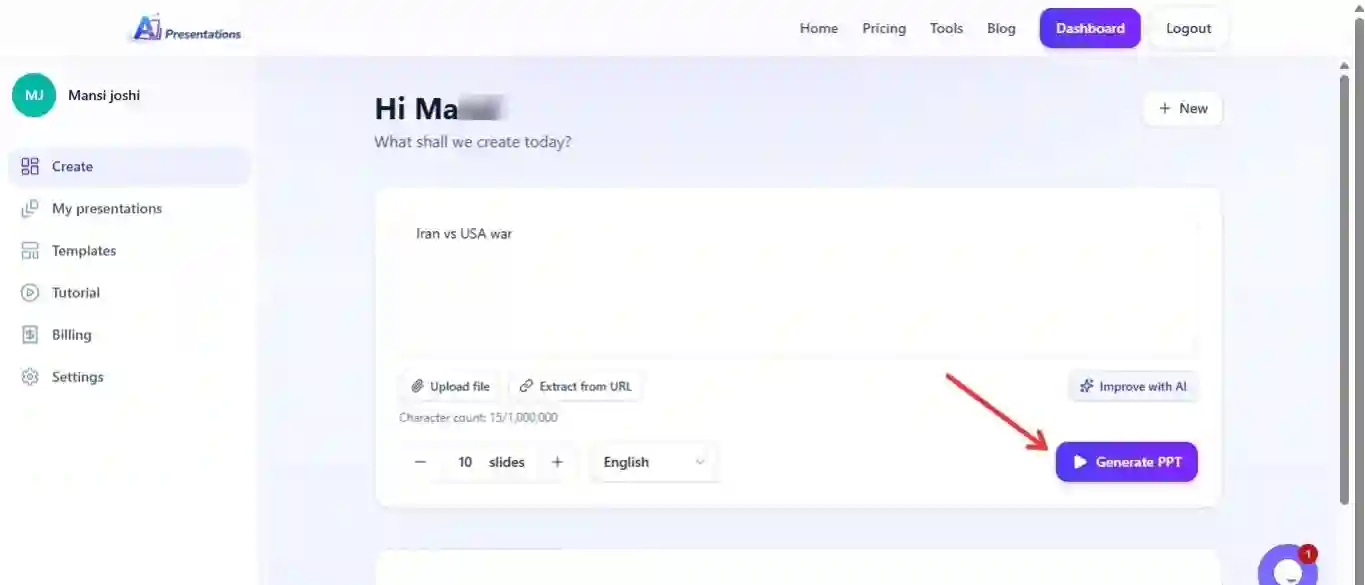
    Generate the presentation

    Let AI create the outline and slide structure automatically.

    AI Presentations content upload
  7. 7

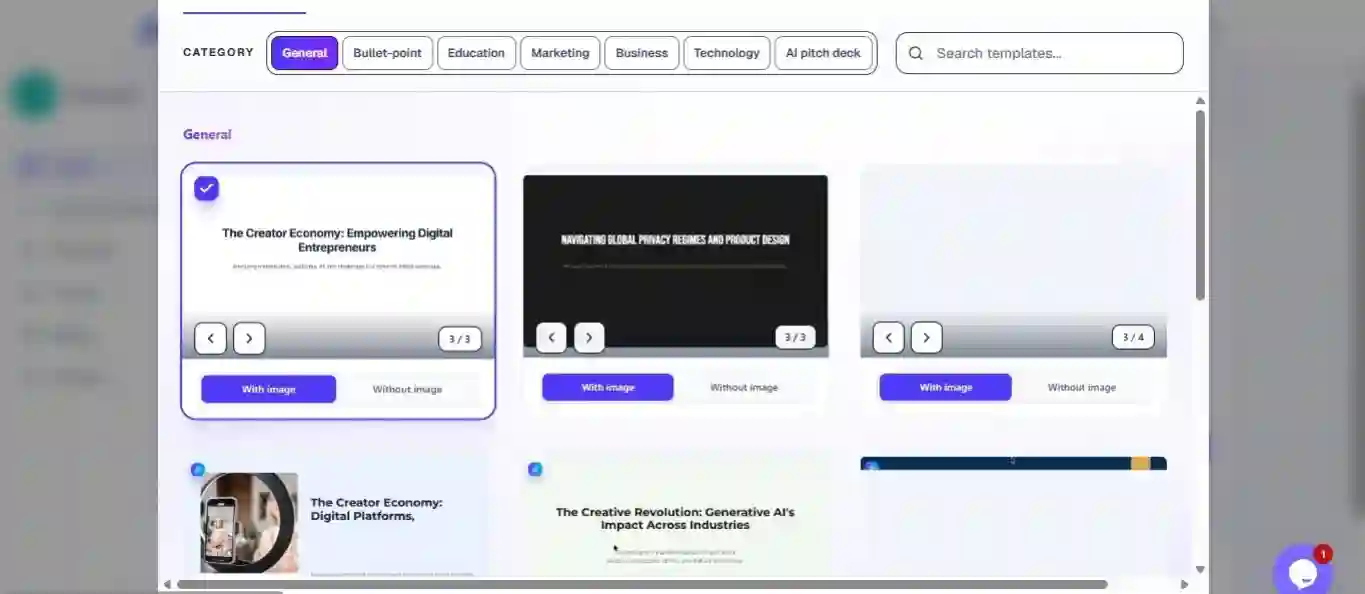
    Select a template

    Choose a presentation design that matches your audience.

    AI Presentations generating
  8. 8

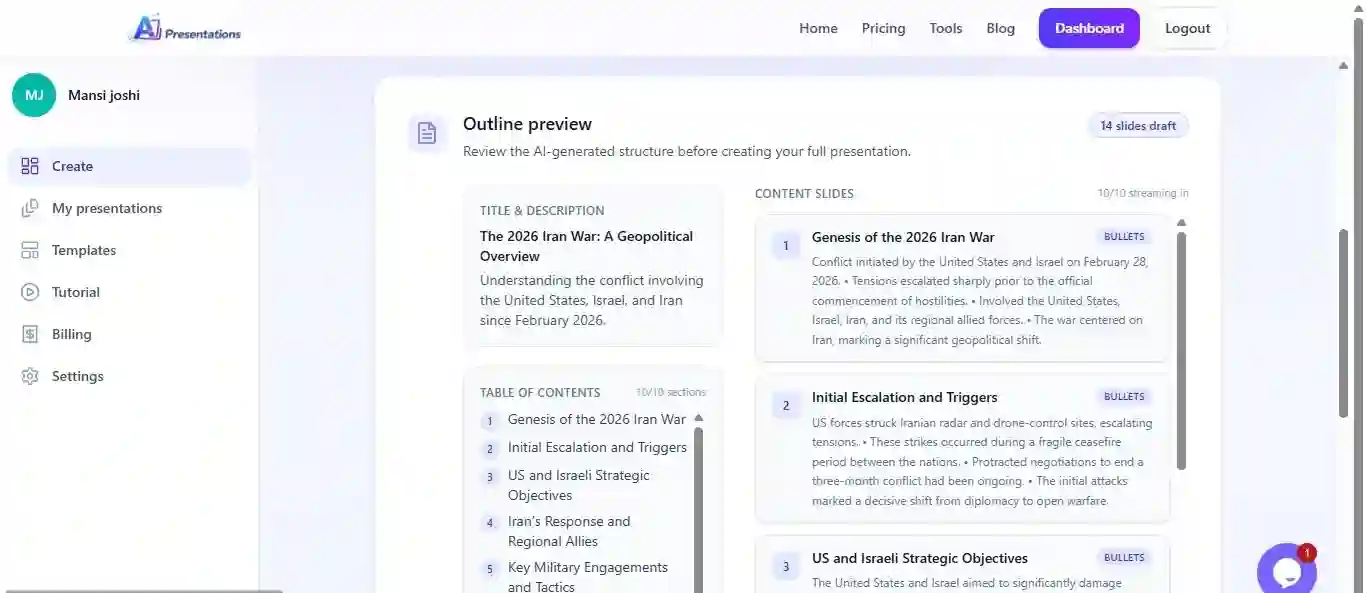
    Review and build

    Check the outline and generate the complete deck.

    AI Presentations template selection
  9. 9

    Edit slides

    Customise content, layouts, and presentation elements.

    AI Presentations generate presentation
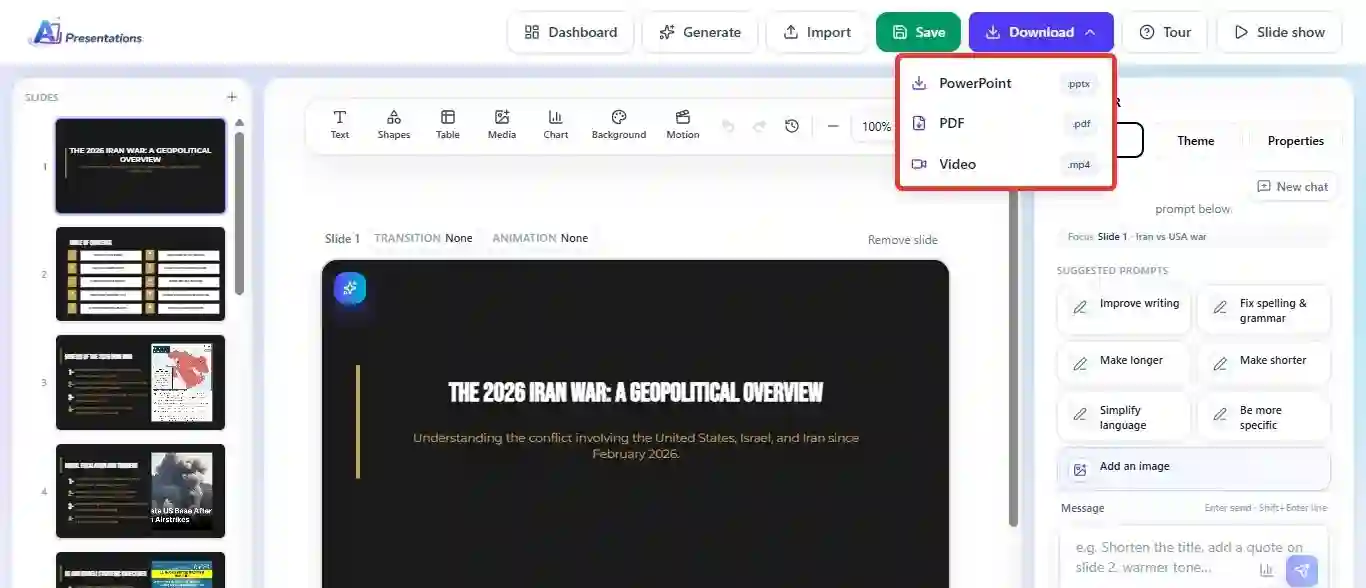
  10. 10

    Export the deck

    Download your presentation as PPTX or PDF.

    AI Presentations export

Creating Slides with SlidesAI

How SlidesAI transforms written content into presentation slides.

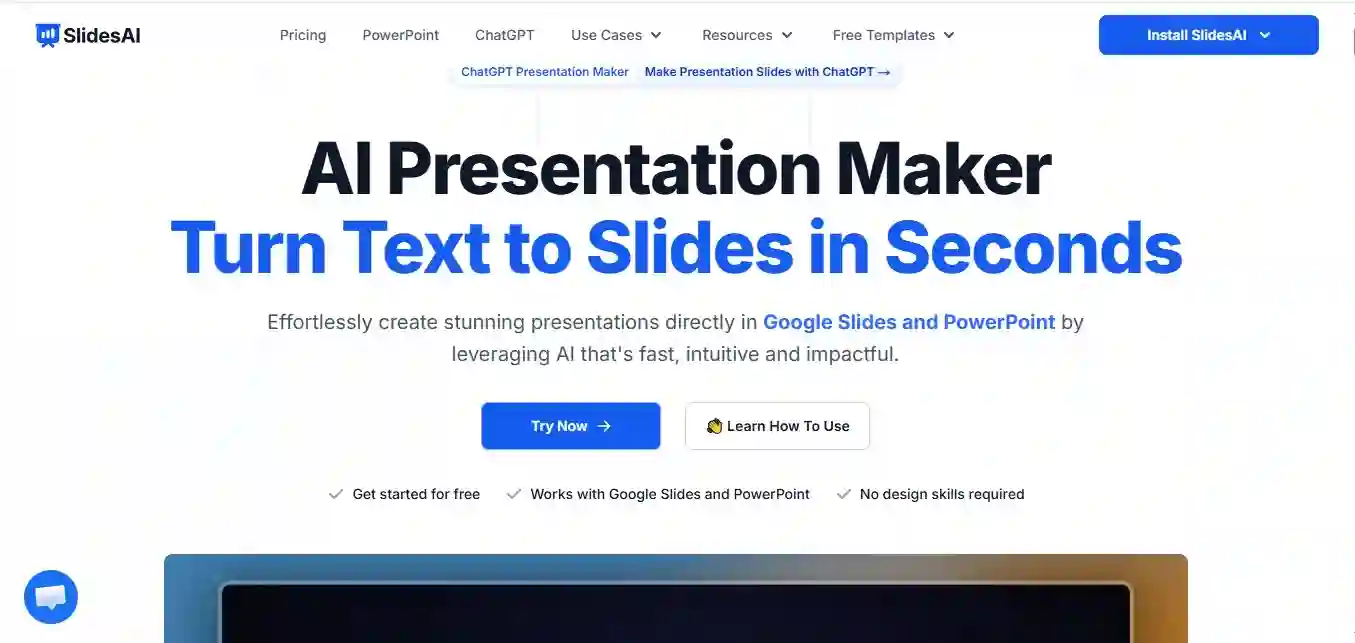
  1. 1

    Visit the SlidesAI Website and Tap on Try Now

    Open the platform and start the presentation creation process.

    Visit SlidesAI website
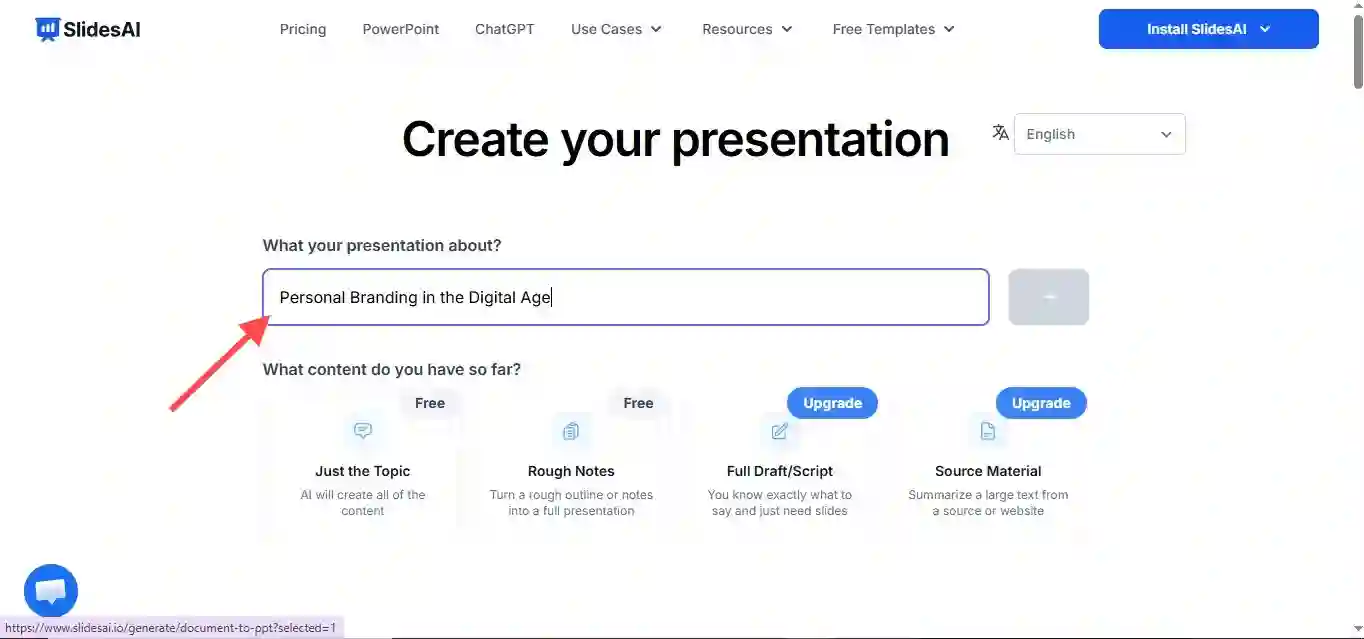
  2. 2

    Add Topic

    Enter the topic or content you want to turn into a presentation.

    Add topic to SlidesAI
  3. 3

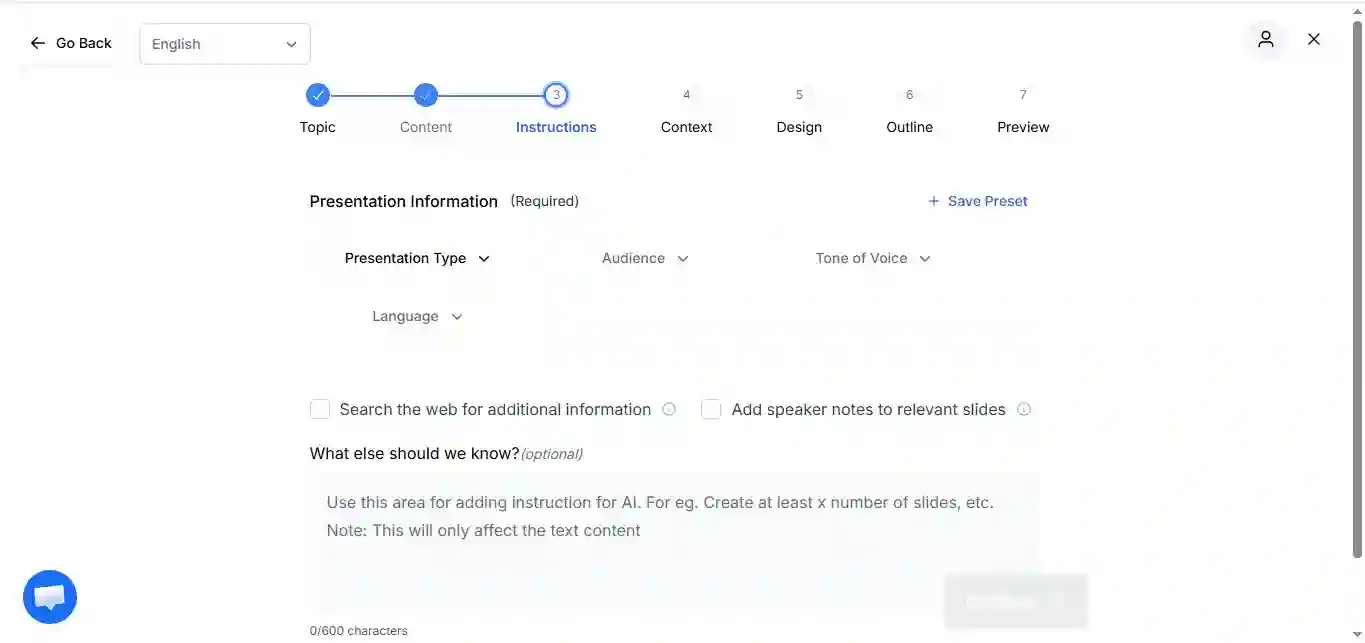
    Select Instructions

    Choose the presentation preferences and generation settings.

    Select SlidesAI instructions
  4. 4

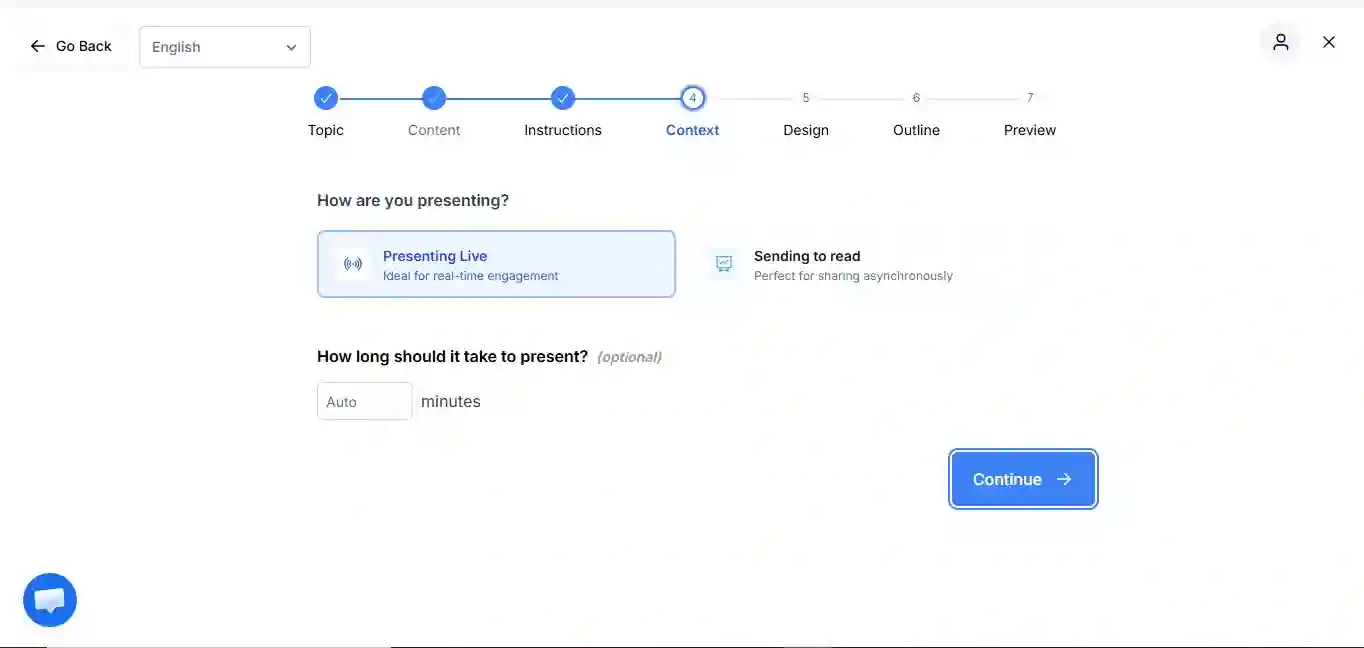
    Select the Context

    Specify the purpose, audience, or context for the presentation.

    Select context in SlidesAI
  5. 5

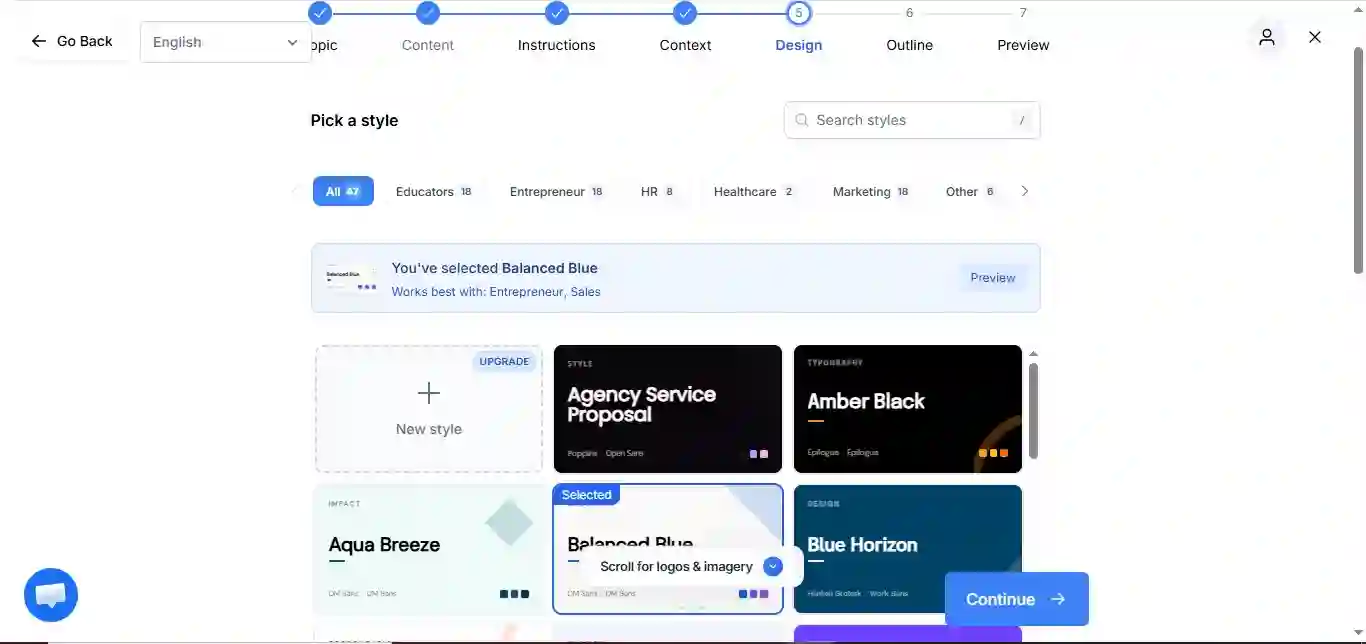
    Select Template

    Choose a presentation template that matches your needs.

    Select SlidesAI template
  6. 6

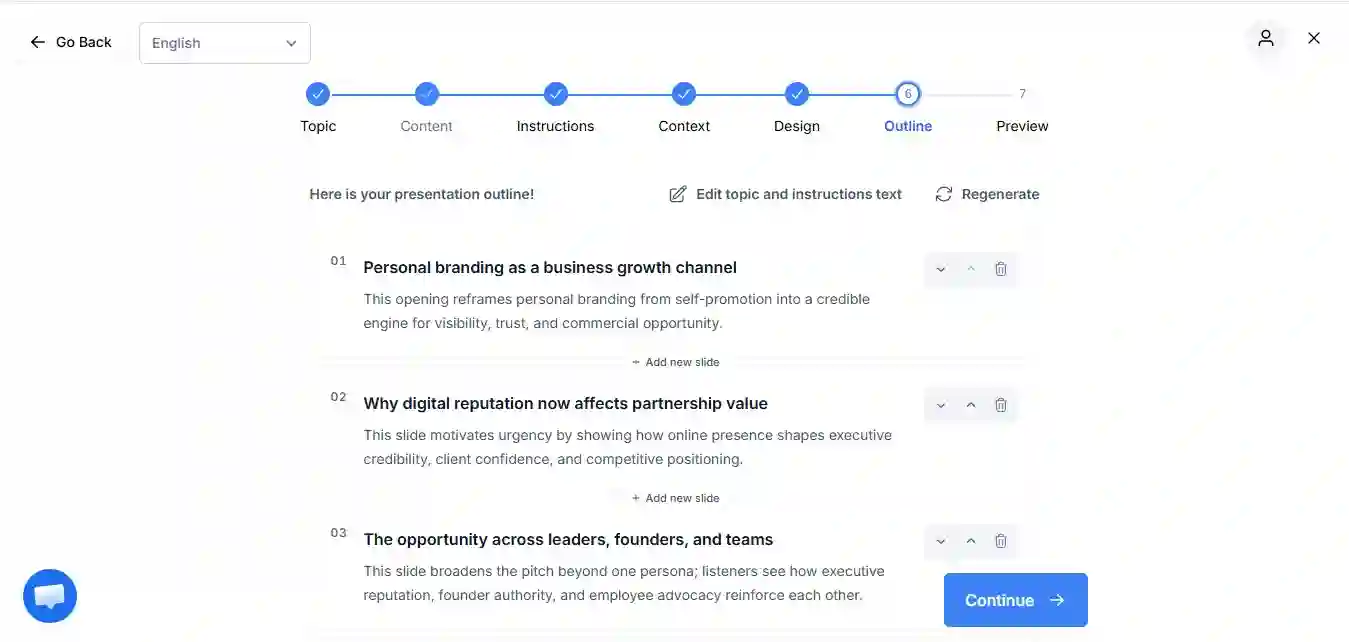
    Outline of Presentation Is Ready

    Review the AI-generated presentation outline.

    SlidesAI outline ready
  7. 7

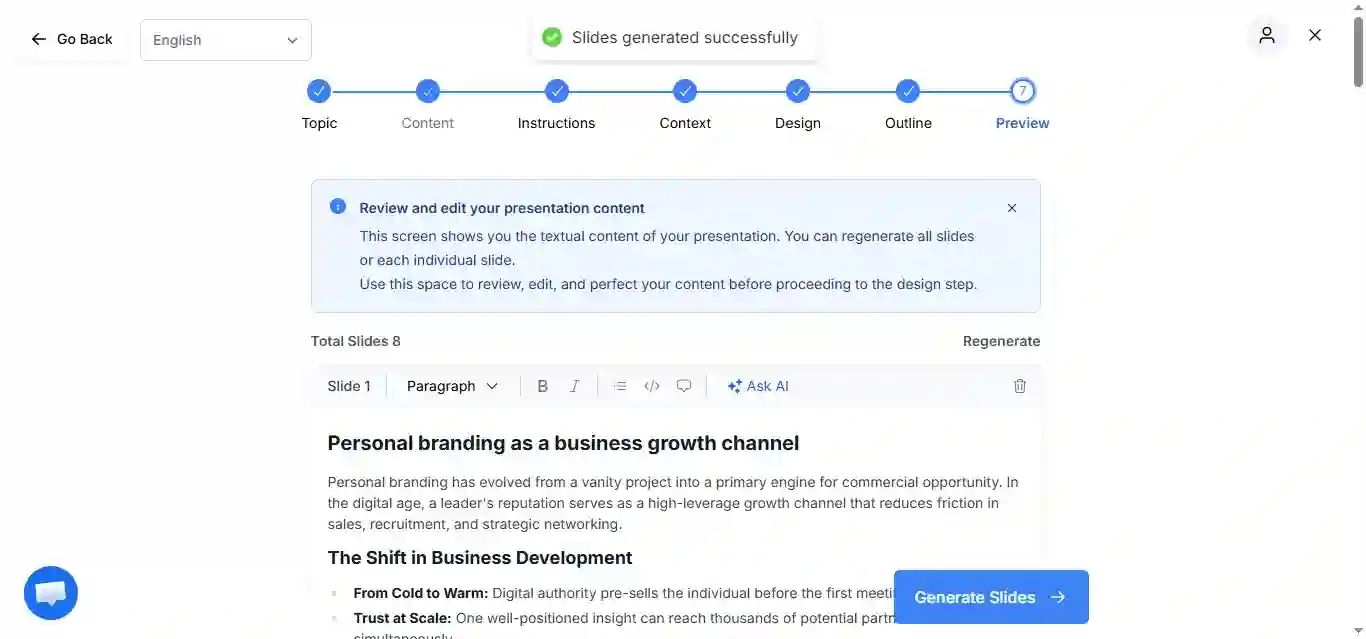
    Slides Generated Successfully

    Generate the complete presentation from the approved outline.

    Slides generated successfully
  8. 8

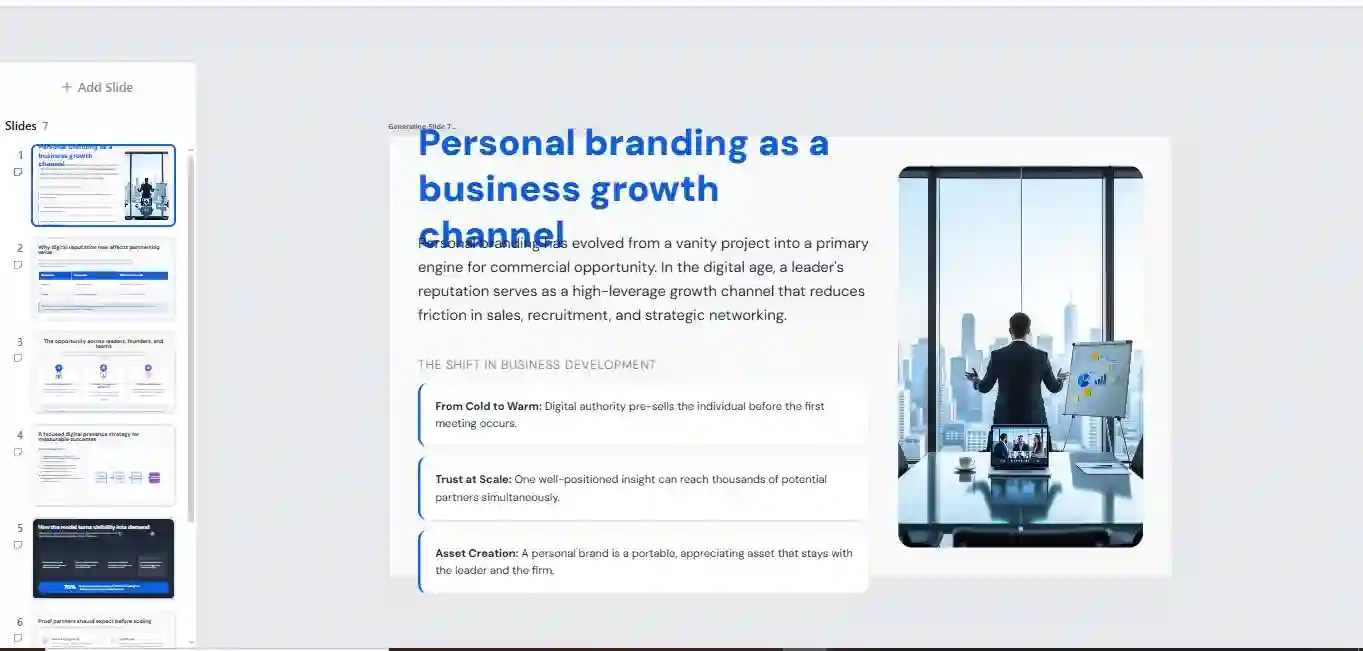
    Your Presentation Is Ready to Preview

    Preview the generated slides before sharing.

    Preview SlidesAI presentation
  9. 9

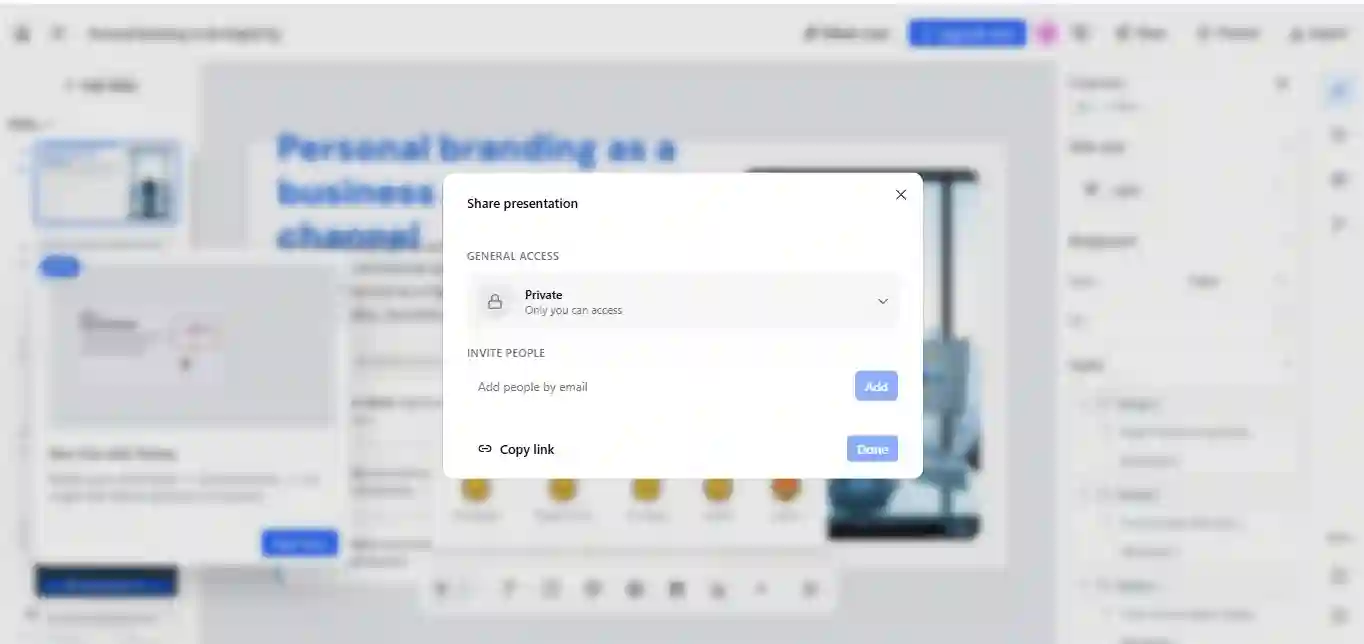
    Copy Link and Share

    Copy the presentation link and share it with your audience.

    Share SlidesAI presentation

DEMO

Watch AI Presentations Transform Ideas into Slides

AI Presentations
Our pick

Feature Comparison

What Sets Them Apart

AI Presentations and SlidesAI share the goal of simplifying presentation creation, but they take different approaches to content generation, editing, and presentation delivery. The comparison below highlights the key differences.

FeatureAI PresentationsSlidesAISlidesAI
Google Slides add-on
Web app (no add-on needed)
PowerPoint (.pptx) export
Generate from URL
Generate from YouTube
Generate from PDF
Generate from DOCX
Free planFree forever3 presentations/mo
AI image generation
Languages supported100+100+

Visual Output

Presentation Quality and Design Results

How the generated presentations compare.

AI Presentations

AI Presentations generates complete slide decks with structured content, presentation-ready layouts, and professionally designed themes. Slides are organized around clear sections, helping users create business presentations, reports, lessons, and proposals with minimal manual formatting. The final deck remains editable, making it easy to refine content while preserving the overall design.

SlidesAI

SlidesAI

SlidesAI focuses on converting text into slides within Google Slides. Generated presentations follow the selected theme and automatically distribute content across slides. While this approach helps users create presentations quickly, the visual outcome often depends on the quality and structure of the source text, and additional adjustments may be needed to optimize slide design and content balance.

Takeaway

Choose SlidesAI if your workflow revolves around Google Slides and text-based content generation. Choose AI Presentations if you need a full AI presentation maker that can generate, edit, customize, and export professional presentation decks across multiple formats.

AI Content Generation

How AI Creates Presentation Content

AI Presentations

AI Presentations generates structured presentation content with clear slide titles, logical sections, key points, and supporting information. Users can create presentations from topics, PDFs, documents, URLs, videos, and other content sources, allowing the AI to build a complete presentation outline before generating the full deck. Individual slides can then be edited and refined as needed.

SlidesAI

SlidesAI

SlidesAI specializes in converting written text into presentation slides. Users provide a topic, notes, article, or draft content, and the platform automatically organizes the information into slide-friendly sections. The workflow is designed to help users transform existing content into presentations without manually creating each slide.

Takeaway

Both tools help reduce the time required to create presentation content. SlidesAI is ideal for turning existing text into slides within Google Slides, while AI Presentations supports a wider range of content inputs and provides a more complete workflow for generating full presentation decks from multiple sources.

Pricing

Plans, Features, and Overall Value

Compare how each platform packages its features, including AI presentation generation, customization options, exports, and access to advanced tools. Pricing is important, but the overall value depends on how much functionality users receive for creating, editing, and sharing presentations.

Strong value

AI Presentations

Pro

$25/mo

  • Generous monthly slide credits
  • PPTX & PDF export
  • Premium themes
  • Priority support
View our plans

SlidesAI

Pro

$10/mo

  • AI text-to-slides
  • Google Slides integration
  • Multiple themes
See SlidesAI pricing

Pros & Cons

Strengths and Limitations

A practical look at where each AI presentation tool excels and the trade-offs users should consider before choosing a platform.

AI Presentations Pros

  • Generate presentations from topics, PDFs, documents, URLs, videos, and other content sources
  • Creates complete presentation decks instead of individual slides
  • Editable PPTX and PDF export options
  • Built for business, education, training, and professional presentations
  • Supports presentation customization after generation
  • Multiple presentation themes and design styles
  • Helps reduce manual slide creation and formatting work

SlidesAI Pros

  • Works directly within Google Slides
  • Simple text-to-presentation workflow
  • Fast slide generation from written content
  • Familiar experience for Google Workspace users
  • Easy to use for creating presentation drafts
  • Useful for transforming articles, notes, and outlines into slides

AI Presentations Cons

  • Best suited for structured slide-based presentations rather than document-style content
  • Final presentations may still benefit from manual review and customization
  • Advanced presentation workflows may require a paid plan
  • Less focused on Google Slides-native editing environments

SlidesAI Cons

  • Primarily designed around Google Slides workflows
  • Relies heavily on the quality and structure of source text
  • Fewer content input formats compared with broader presentation generation platforms
  • Users may need to spend additional time refining layouts, visuals, and presentation structure

Who Should Use What

Which Tool Is the Better Fit?

Choose the platform that best matches your presentation workflow and content creation needs.

Pick AI Presentations if…

  • You need complete presentations generated from topics, documents, PDFs, URLs, or videos
  • You regularly export presentations as PPTX or PDF files
  • You create business presentations, reports, training materials, or educational content
  • You want greater control over presentation structure and slide customization
  • Your workflow requires editable presentations after generation
  • You need an AI presentation maker that supports multiple content sources
SlidesAI

Pick SlidesAI if…

  • You primarily create presentations in Google Slides
  • You want to convert existing text into slides quickly
  • Your workflow is centered around Google Workspace
  • You need a simple text-to-presentation solution
  • You prefer generating slides directly inside your presentation editor
  • Most of your presentation content already exists in written form

Bottom Line

Final Verdict

SlidesAI is a solid choice for users who primarily work in Google Slides and want a quick way to turn written content into presentation slides. Its streamlined workflow makes it easy to generate presentation drafts without leaving the Google Workspace environment.

AI Presentations is the better fit for users who need a complete AI presentation maker that supports multiple content sources, including topics, documents, PDFs, URLs, and videos. Combined with editable PPTX exports, presentation customization, and flexible creation workflows, it is well suited for business presentations, educational content, training materials, and professional slide decks.

If your goal is simple text-to-slides generation inside Google Slides, SlidesAI can be a practical option. If you need a broader presentation creation platform with greater flexibility from input to export, AI Presentations offers the more comprehensive solution.

Get Started

Generate a Presentation from Any Idea

Enter a topic and let AI Presentations build a structured slide deck complete with content, layouts, and presentation-ready formatting.

AI Presentations · AI presentation generator

slides

Example prompts

New decks created every day by teams and students

FAQ

Frequently Asked Questions

AI Presentations is a strong alternative for users who need complete presentations generated from multiple content sources such as PDFs, documents, URLs, videos, and prompts. It is particularly useful for users who require editable PPTX exports and flexible presentation workflows beyond Google Slides.

The primary difference is their workflow. AI Presentations focuses on generating complete presentation decks from various content sources, while SlidesAI is designed to convert text into slides directly within Google Slides.

AI Presentations is generally better suited for PowerPoint-based workflows because it supports editable PPTX exports and presentation generation designed for traditional slide decks.

SlidesAI is a natural fit for users who create and edit presentations primarily in Google Slides and want to generate slides without leaving the Google Workspace environment.

Yes. AI Presentations supports multiple input formats, including PDFs, documents, URLs, videos, and presentation topics, allowing users to generate structured slide decks from existing content.

SlidesAI can create presentations from text input and written content, helping users quickly turn ideas, notes, or drafts into presentation slides within Google Slides.

AI Presentations supports a broader range of content sources, including topics, PDFs, documents, URLs, and videos, making it suitable for users working with different types of source material.

No. Both AI Presentations and SlidesAI are designed to simplify presentation creation by automatically generating slide content and layouts, reducing the amount of manual design work required.

AI Presentations is often the better choice for business presentations, client reports, training materials, and professional slide decks because it focuses on creating complete, editable presentations that can be customized after generation.

Yes. Both platforms allow users to modify generated content and make adjustments. The editing experience differs depending on the platform and the workflow you choose.