
You’ve delivered your key points, answered the important questions, and reached the final slide.
Now comes one of the most important moments of your presentation how you end it. A strong conclusion can leave your audience inspired, while a weak one can make even a great presentation feel forgettable.
Many presenters spend hours perfecting their introduction but give little thought to how they’ll conclude. As a result, they end with a rushed “That’s it” or a simple “Thank you,” leaving the audience without a memorable takeaway.
A strong presentation ending reinforces your message, inspires action, and leaves your audience thinking about your ideas long after you’ve finished speaking.
In this guide, I’ll show you how to end a presentation effectively, share practical presentation ending examples, and explain the best ways to conclude presentations for school, college, business, sales, and public speaking.

Why the Way You End a Presentation Matters?
Your audience is most likely to remember the first and last few minutes of your presentation. This psychological principle, often called the serial position effect, means your conclusion has a significant influence on how people perceive your entire presentation.
A powerful ending can:
- Reinforce your key message
- Increase audience engagement
- Build credibility
- Encourage action
- Make your presentation more memorable
- Improve audience retention
On the other hand, a weak ending can make an otherwise excellent presentation feel incomplete.
That’s why learning how to conclude a presentation is just as important as learning how to start one.
What Makes a Great Presentation Ending?
Before exploring different techniques, it’s helpful to understand what every strong presentation conclusion should accomplish.
A great presentation ending should:
- Summarize your main message
- Reinforce your key takeaway
- Give the audience a clear next step
- End confidently without rushing
- Leave a positive emotional impact
Think of your conclusion as the final impression you leave with your audience. Make it count.
How to End a Presentation in 5 Simple Steps?
Instead of wondering what to say at the end, follow this proven structure.
1. Summarize Your Main Points
Remind your audience of the most important ideas not every detail.
For example:
“Today, we’ve explored why cybersecurity matters, the biggest threats businesses face, and the practical steps every organization can take to stay protected.”
This refreshes your audience’s memory without repeating your entire presentation.
2. Reinforce Your Core Message
Every presentation should have one central takeaway.
End by emphasizing that message clearly.
Example:
“The future belongs to businesses that embrace AI today not those that wait until everyone else has already adopted it.”
This helps your audience remember your presentation long after they’ve left the room.
3. Include a Clear Call to Action
One of the best ways to end a presentation is by telling your audience what to do next.
Depending on your presentation, your CTA might be:
- Download a guide
- Visit your website
- Try a product
- Implement a strategy
- Schedule a meeting
- Start a project
- Continue learning
Example:
“Choose one strategy we’ve discussed today and implement it this week. Small actions create meaningful results.”
4. Finish with Confidence
Avoid endings like:
- “That’s all.”
- “I guess that’s it.”
- “I’m done.”
- “Hopefully that made sense.”
Instead, end with confidence.
For example:
“Thank you for your time. I’d be happy to answer your questions.”
Or:
“Thank you for listening, and I look forward to hearing your thoughts.”
A confident delivery makes your conclusion feel intentional and professional.
5. Transition Smoothly into Q&A
If you’re opening the floor for questions, make the transition feel natural.
Instead of simply saying:
“Any questions?”
Try:
“That concludes today’s presentation. Thank you for your attention. I’d now be happy to answer any questions you may have.”
This creates a polished and professional finish.
| ❌ Weak Ending | ✅ Strong Ending |
| “That’s all.” | Summarize your key takeaway |
| “Any questions?” | Thank the audience, then invite questions |
| Reading the final slide | Speak naturally and confidently |
| Introducing new information | Reinforce your main message |
| Rushing off the stage | Pause, smile, and maintain eye contact |
10 Powerful Ways to End a Presentation (With Examples)
Not every presentation should end the same way.
The best presentation ending depends on your audience, your goal, and the type of presentation you’re delivering. Whether you’re speaking in a classroom, a boardroom, or at a conference, these techniques can help you leave a lasting impression.
-
End with a Strong Call to Action
If your goal is to inspire action, your conclusion should tell the audience exactly what to do next.
Instead of ending with “Thank you,” encourage them to take the next step.
Example
“Today, you’ve learned how small changes can improve your productivity. Now choose one strategy and start implementing it this week.”
Best for:
- Business presentations
- Sales presentations
- Marketing presentations
- Workshops
- Product demos
-
Summarize Your Key Takeaways
A concise recap reinforces your message and helps your audience remember the most important points.
Keep it brief, focus only on the biggest insights.
Example
“Remember these three ideas: understand your audience, keep your message simple, and always finish with a clear purpose.”
This is one of the safest and most effective ways to conclude a presentation.
-
Return to Your Opening Story
One of the most memorable presentation techniques is to end where you began.
If you opened with a story, question, or scenario, revisit it in your conclusion.
Example
Imagine you began by asking:
“What would you do if your business lost all of its customer data tomorrow?”
You could end with:
“Now you know exactly how to prevent that situation and hopefully, you’ll never have to experience it.”
This creates a satisfying sense of closure.
-
End with a Thought-Provoking Question
Instead of giving your audience all the answers, leave them with something meaningful to think about.
Example
“Five years from now, will you be leading innovation or trying to catch up?”
Questions encourage reflection and often make your presentation more memorable.
Best for:
- Leadership presentations
- TED-style talks
- Motivational speeches
- Educational sessions
- Share a Powerful Quote
A relevant quote can strengthen your main message, but only if it adds value.
Avoid overused quotes that everyone has heard before.
Example
“As Peter Drucker famously said, ‘The best way to predict the future is to create it.’ That’s exactly what today’s presentation has been about.”
Use quotes sparingly so they feel meaningful rather than forced.
-
End with an Inspiring Vision
Help your audience imagine what success looks like after applying what they’ve learned.
Example
“Imagine where your team could be a year from now if you started implementing these strategies today.”
People often remember how you made them feel more than the exact words you used.
-
Use a Memorable Statistic
Ending with a surprising number reinforces urgency and credibility.
Example
“Nearly 70% of digital transformation projects fail not because of technology, but because organizations fail to prepare people for change.”
Then connect the statistic back to your key message.
This works particularly well in business presentations.
-
End with One Clear Message
Sometimes, simplicity is the most powerful approach.
Instead of adding more information, leave your audience with a single memorable sentence.
Examples
- “Progress beats perfection.”
- “Every great idea begins with one decision.”
- “Innovation starts with action.”
- “The best time to improve is today.”
Short messages are easier to remember than long conclusions.
-
Challenge Your Audience
People enjoy being challenged when it feels achievable.
Example
“Before next Monday, identify one process you can improve using what you’ve learned today.”
A challenge transforms passive listeners into active participants.
-
Tell a Short Personal Story
A brief personal experience adds authenticity and makes your conclusion feel more human.
For example:
“When I first started presenting, I believed every slide needed as much information as possible. I quickly learned that audiences remember clear messages not crowded slides. That’s the lesson I hope you take away today.”
Personal stories build trust and leave a stronger emotional impact.
Also read: PowerPoint vs Google Slides: Which Presentation Software Should You Use?
Pro Tip: Combine Multiple Ending Techniques
The strongest presentation conclusions often combine several of the methods above.
For example:
- Summarize your key points.
- Reinforce your main message.
- Share a compelling quote or statistic.
- End with a clear call to action.
- Transition smoothly into Q&A.
This structure feels complete, purposeful, and memorable without sounding repetitive.
Create Professional Presentations Faster with AI
A great ending starts with a well-structured presentation. If you’re spending hours designing slides or organizing your ideas, AI Presentations can help you create polished presentations in minutes.
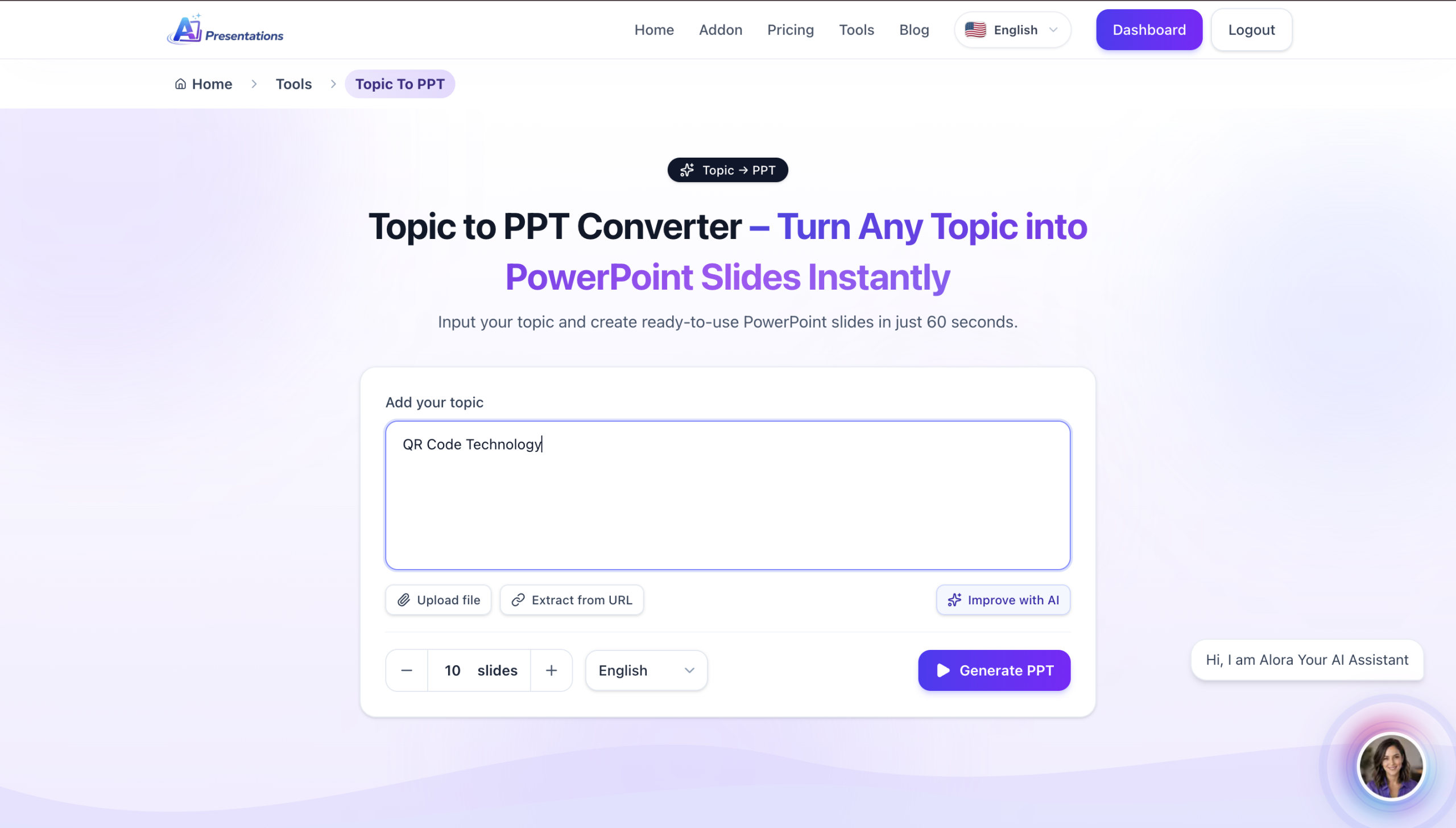
With AI Tool, you can:
- Generate complete presentations from a prompt, document, PDF, or URL
- Create professional PowerPoint and Google Slides presentations instantly
- Choose from premium, customizable templates
- Edit, refine, and export your slides with ease
- Save time while delivering presentation-ready decks
Whether you’re creating a school project, business proposal, or sales pitch, AI Presentations helps you generate professional PowerPoint and Google Slides presentations in minutes. Try it for free and spend less time designing slides and more time delivering your message.
Frequently Asked Questions
Q1. How do you end a presentation professionally?
A professional presentation ending should briefly summarize your main points, reinforce your key message, thank the audience, and transition smoothly into a Q&A session if appropriate.
Q2. Is it okay to end a presentation with “Thank you”?
Yes, but don’t let “Thank you” be your entire conclusion. Pair it with a key takeaway or call to action for a more memorable ending.
Q3. What is the best way to conclude a presentation?
The best way to conclude a presentation is to summarize your main message, leave your audience with one memorable idea, and end confidently.
Q4. How long should a presentation conclusion be?
Your conclusion should take about 5–10% of your total presentation time. For a 10-minute presentation, aim for a closing that’s around one minute.
Q5. What should you say at the end of a presentation?
End with a brief summary of your key message, thank your audience for their time, and include a clear call to action or transition into a Q&A session. Avoid ending abruptly or introducing new information.
Conclusion
A strong presentation ending can make the difference between being remembered and being forgotten. Instead of ending with a simple “Thank you,” take a moment to reinforce your key message, inspire action, or leave your audience with a memorable takeaway.
Whether you’re giving a school presentation, pitching to clients, or speaking at a conference, the right conclusion helps your ideas stay with your audience long after you’ve finished speaking.
Now that you know how to end a presentation effectively, practice your closing just as much as your introduction. A confident, well-planned ending will help you leave a lasting impression every time you present.
Related: How to Start a Presentation That Captivates Your Audience (With Examples)